

Kamino Swap is a meta-aggregator: it requests quotes from multiple routing engines simultaneously, compares them, and selects the route that returns the most tokens. There is no platform fee.
Before You Start
- You need a connected Solana wallet with the tokens you want to swap.
- Keep a small amount of SOL in your wallet to cover network transaction fees.
- Look for the green verified badge next to token names. Token names and symbols can be copied, so always verify you are selecting the correct asset.
Swap Step by Step
1
Connect your wallet
Open Kamino Swap and connect your wallet using the button in the top-right corner. Once connected, your available token balances appear in the swap interface.
2
Select the token to sell
Click the token field in the Sell section to open the token selector. Search by name, symbol, or contract address. Confirm the green verified badge before selecting.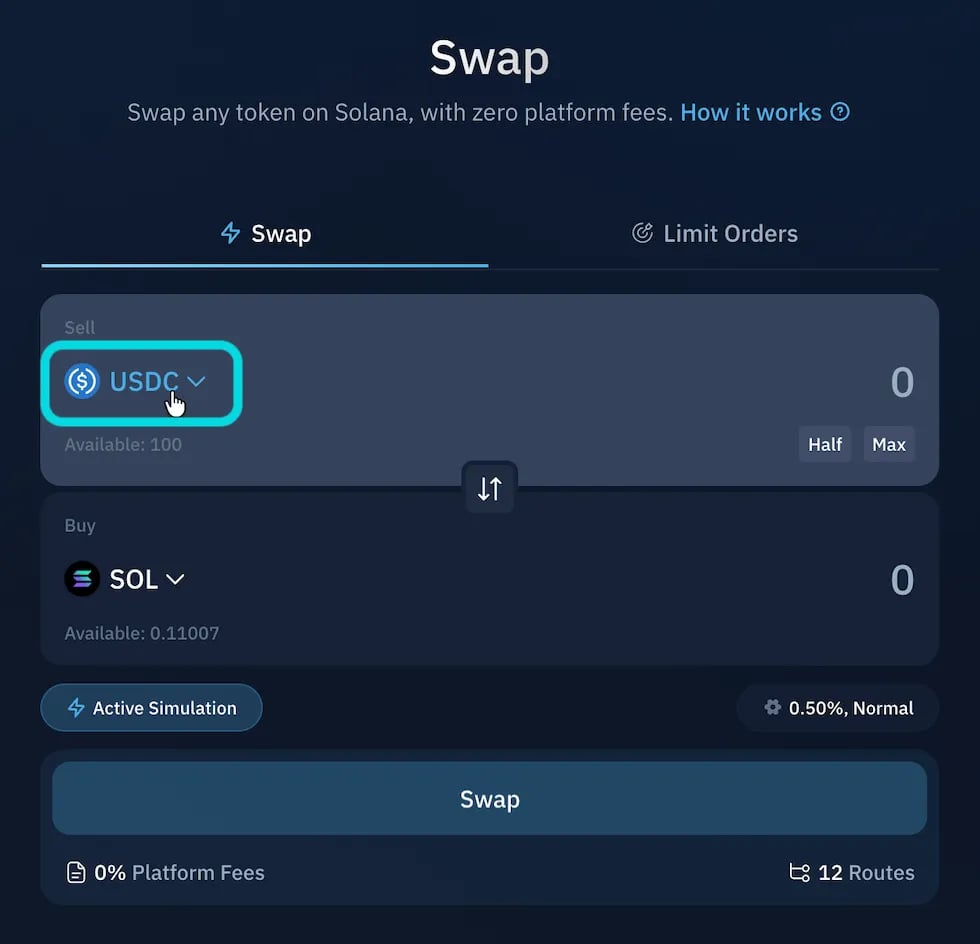
3
Select the token to buy
Click the token field in the Buy section and choose the token you want to receive. Use the arrow button between the two fields to reverse the swap direction.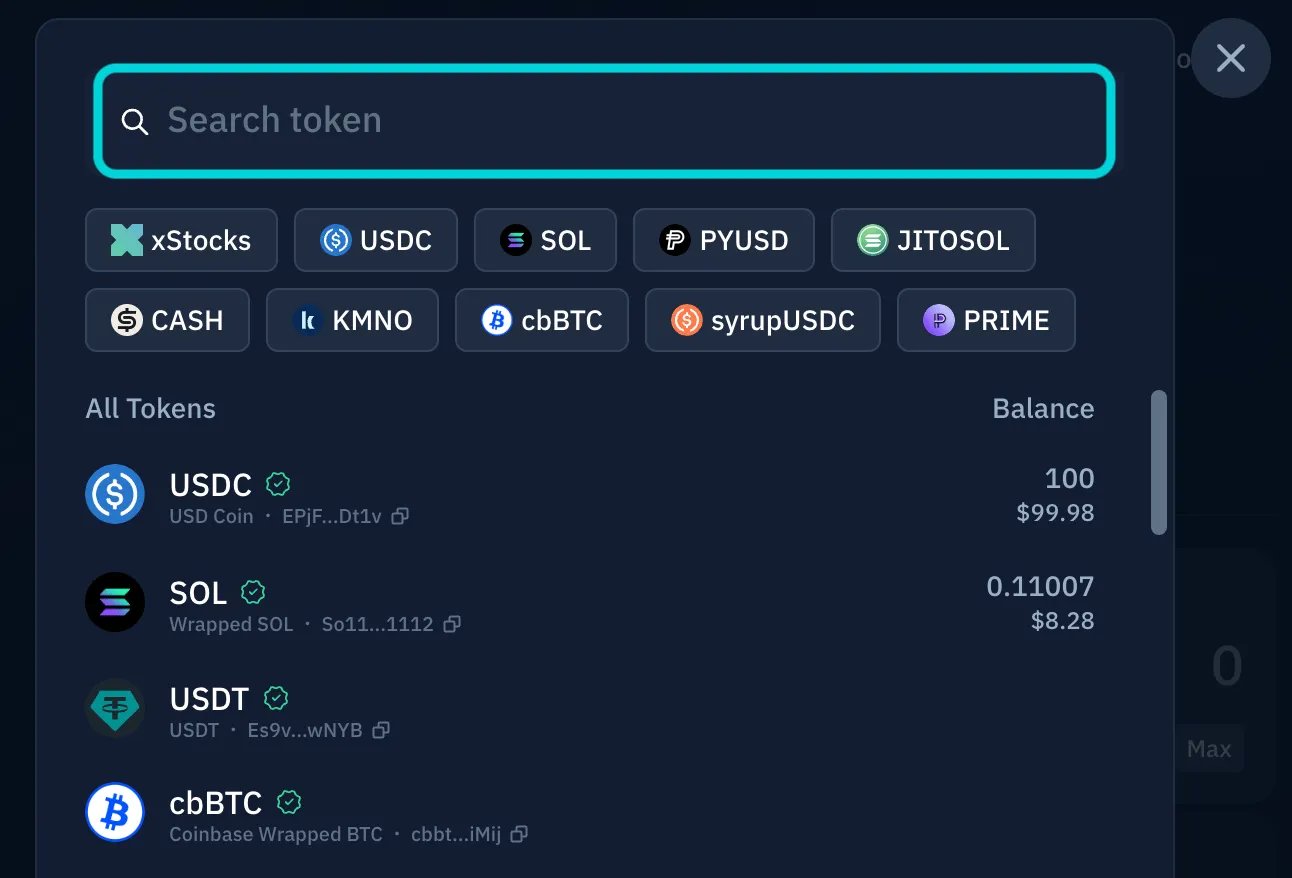
4
Enter the swap amount
Type the amount you want to swap. Use the Max or Half shortcuts to fill in your full or half balance. The system fetches a price quote automatically once you enter an amount.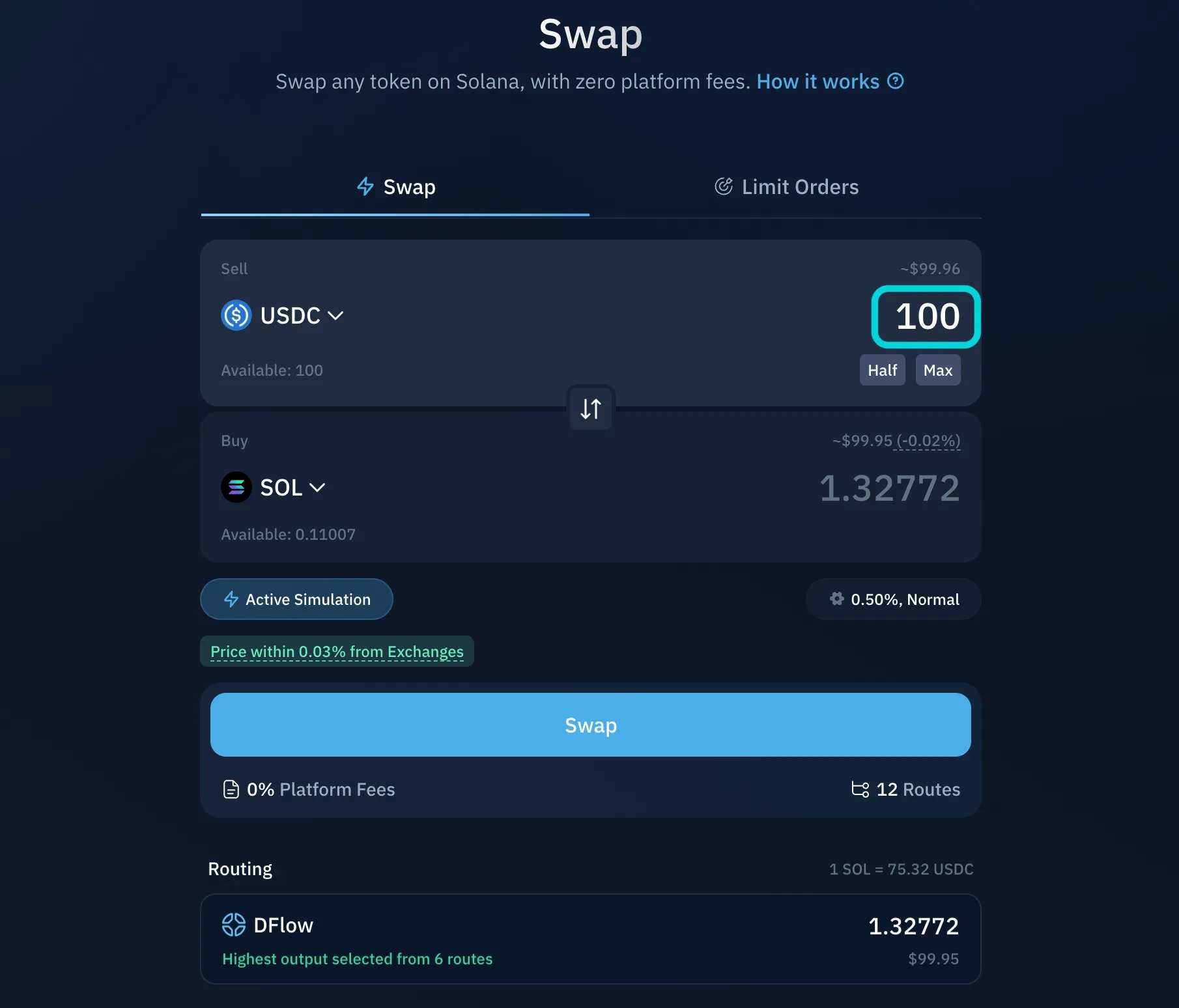
5
Review settings
Click the settings cog below the swap amount to adjust slippage tolerance and priority fee.Slippage tolerance is the maximum price movement you accept between receiving the quote and the transaction executing. The default is 0.5%, which is suitable for most swaps. Lower slippage gives tighter price protection but increases the chance of the transaction failing. Higher slippage makes execution more likely but may return fewer tokens.Priority fee controls how quickly Solana processes your transaction. The default Normal setting is sufficient for most conditions. Increase it during periods of network congestion.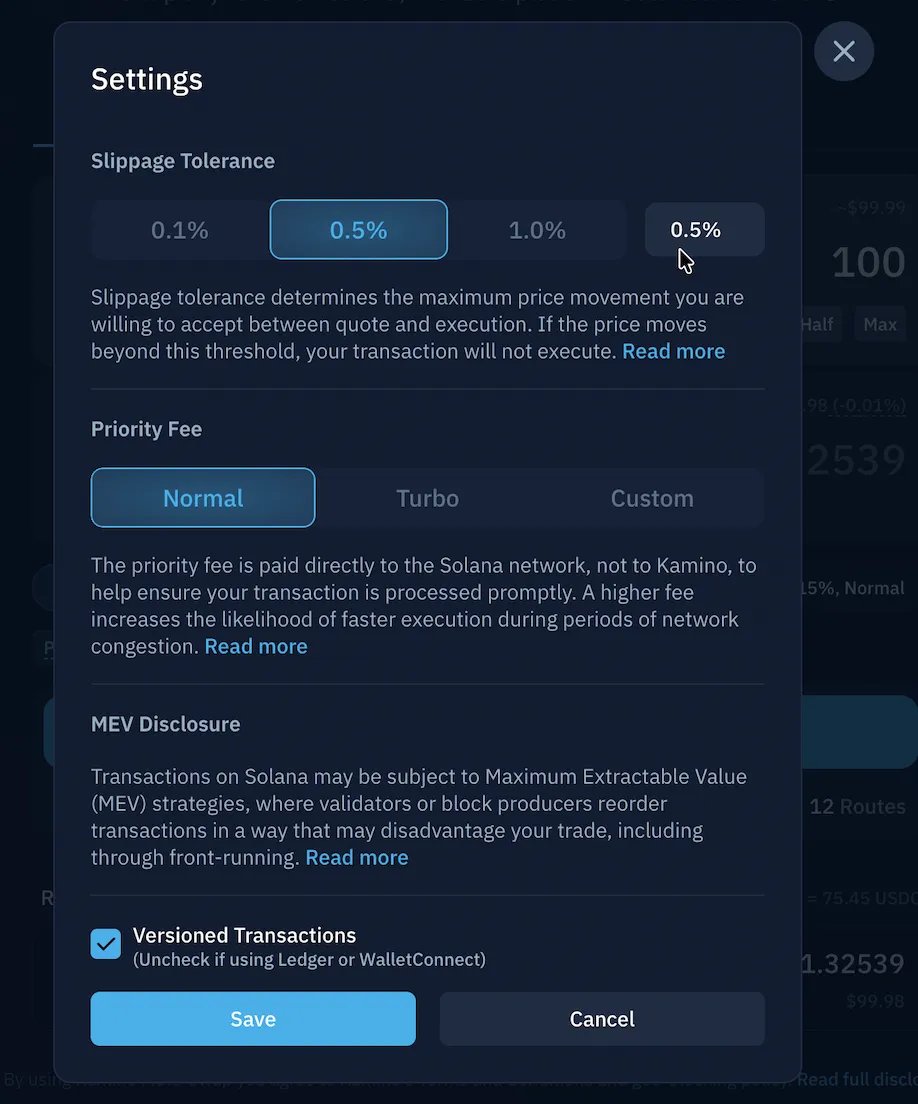
6
Review the quote
Before confirming, check:Quotes refresh automatically as market conditions change. Kamino also runs active simulation, which checks whether the quoted transaction will execute under current on-chain conditions, so the displayed output closely reflects what the transaction is actually expected to return.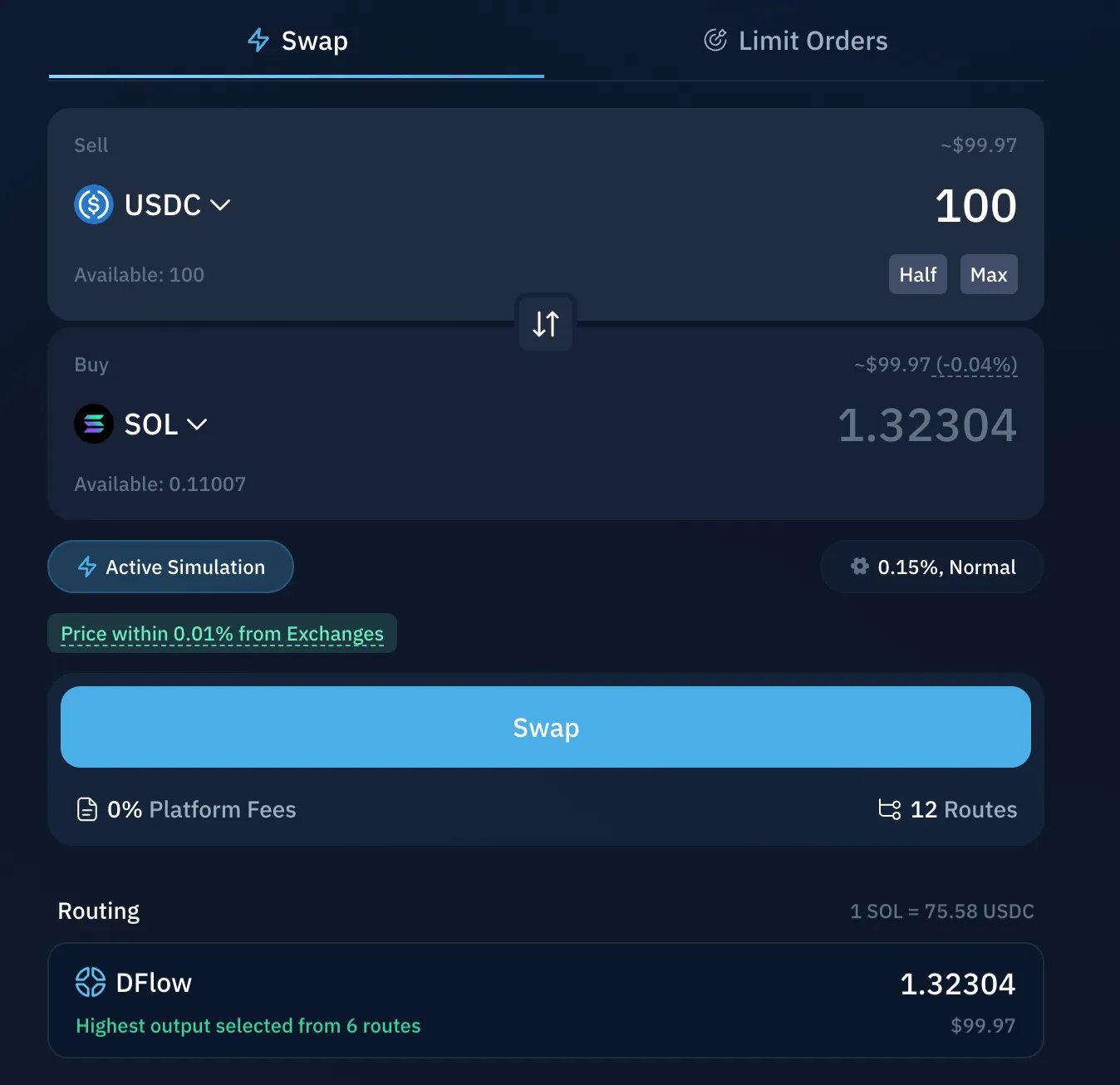
- Estimated output and minimum received
- Exchange rate for the token pair
- Price impact: the effect your trade has on the available price
If the price impact looks unusually high, consider reducing the swap size. High impact usually means limited liquidity or that the trade is large relative to the available market.
7
Confirm in your wallet
Click Swap to send the transaction to your wallet. Your wallet will display the tokens leaving, the tokens arriving, and any network fees. Verify the details match your intended swap, then approve.Once confirmed, the transaction is submitted to the Solana network and the swapped tokens appear in your wallet.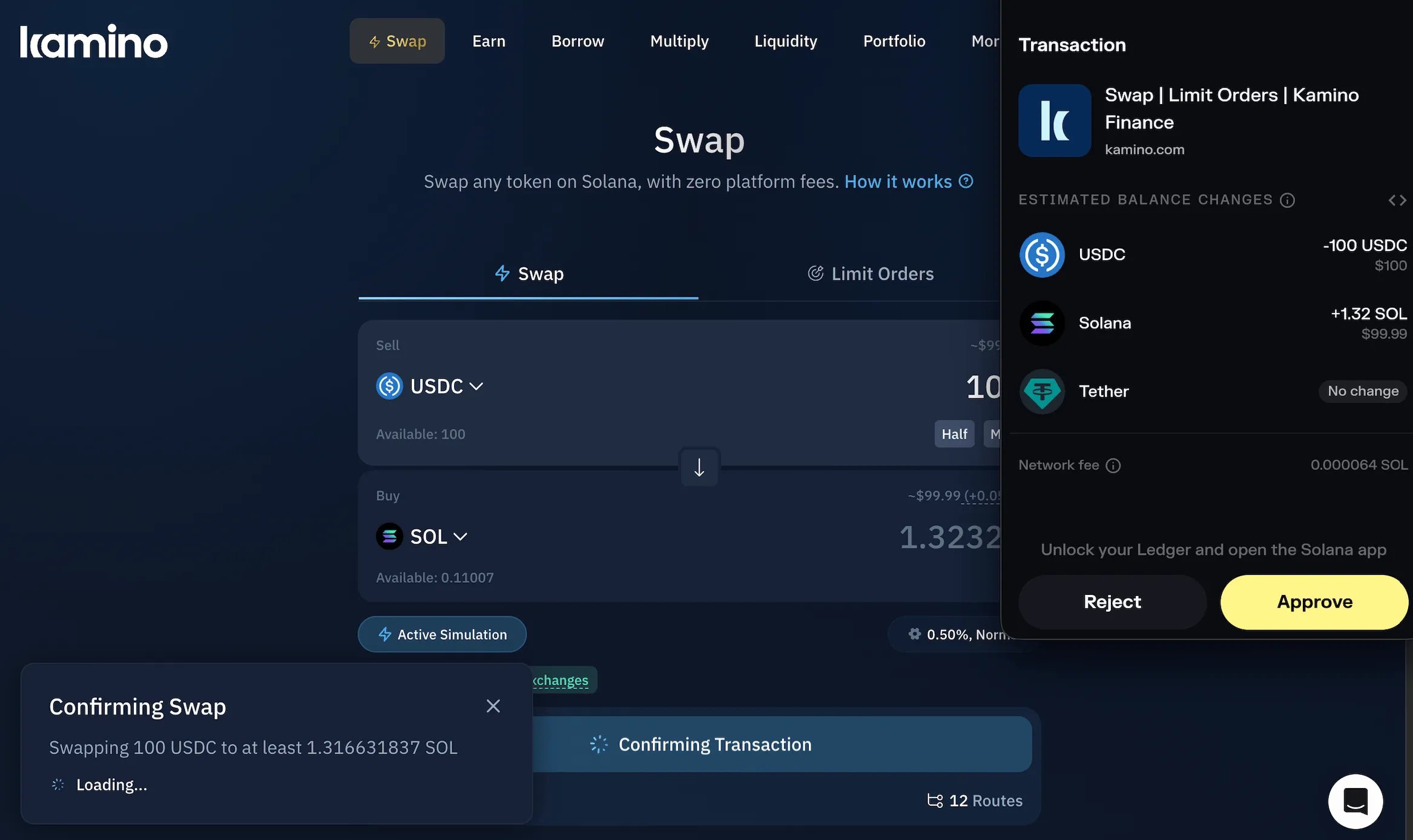
If the assets or amounts shown in your wallet do not match the swap you intended, cancel the transaction.
If a Swap Fails
Swaps can fail if market conditions change between quoting and execution. If this happens:- Refresh the quote and try again.
- Check that you have enough SOL to cover transaction fees.
- Increase slippage tolerance slightly for volatile tokens.
- Reduce the swap size if price impact is high.
- Wait briefly if conditions are changing rapidly.