

A leveraged long position increases your exposure to an xStock by borrowing against your existing holdings and using the borrowed funds to purchase more of the same asset.
Leveraged positions carry liquidation risk. Always review your loan-to-value ratio, liquidation price, borrowing costs, and swap details before confirming a transaction.
Opening a leveraged long position
1
Open the xStocks market
Go to Borrow and select the xStocks Market.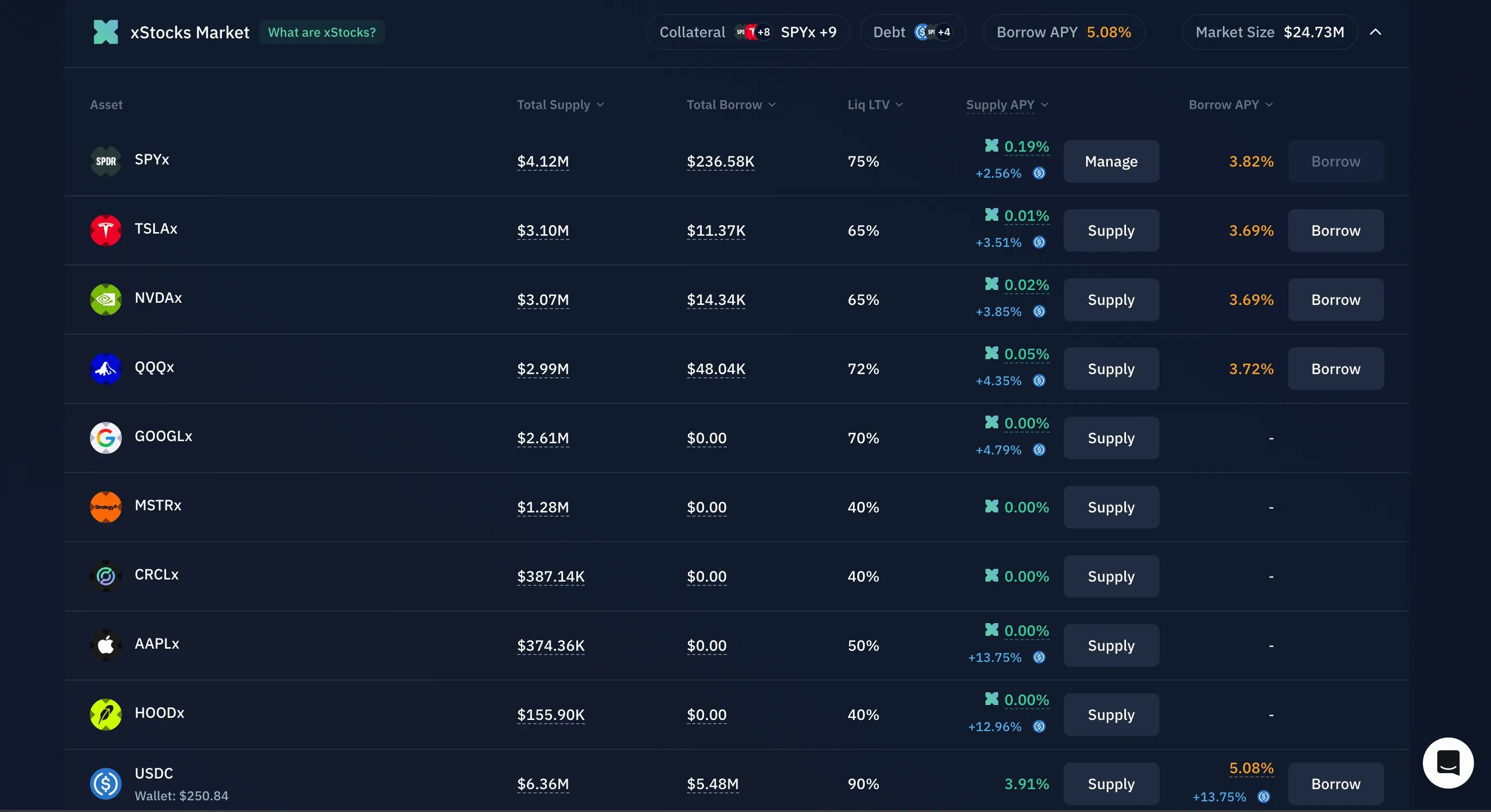
2
Supply the xStock
Select the xStock you want to use as collateral. Enter the amount you want to supply and confirm the transaction in your wallet.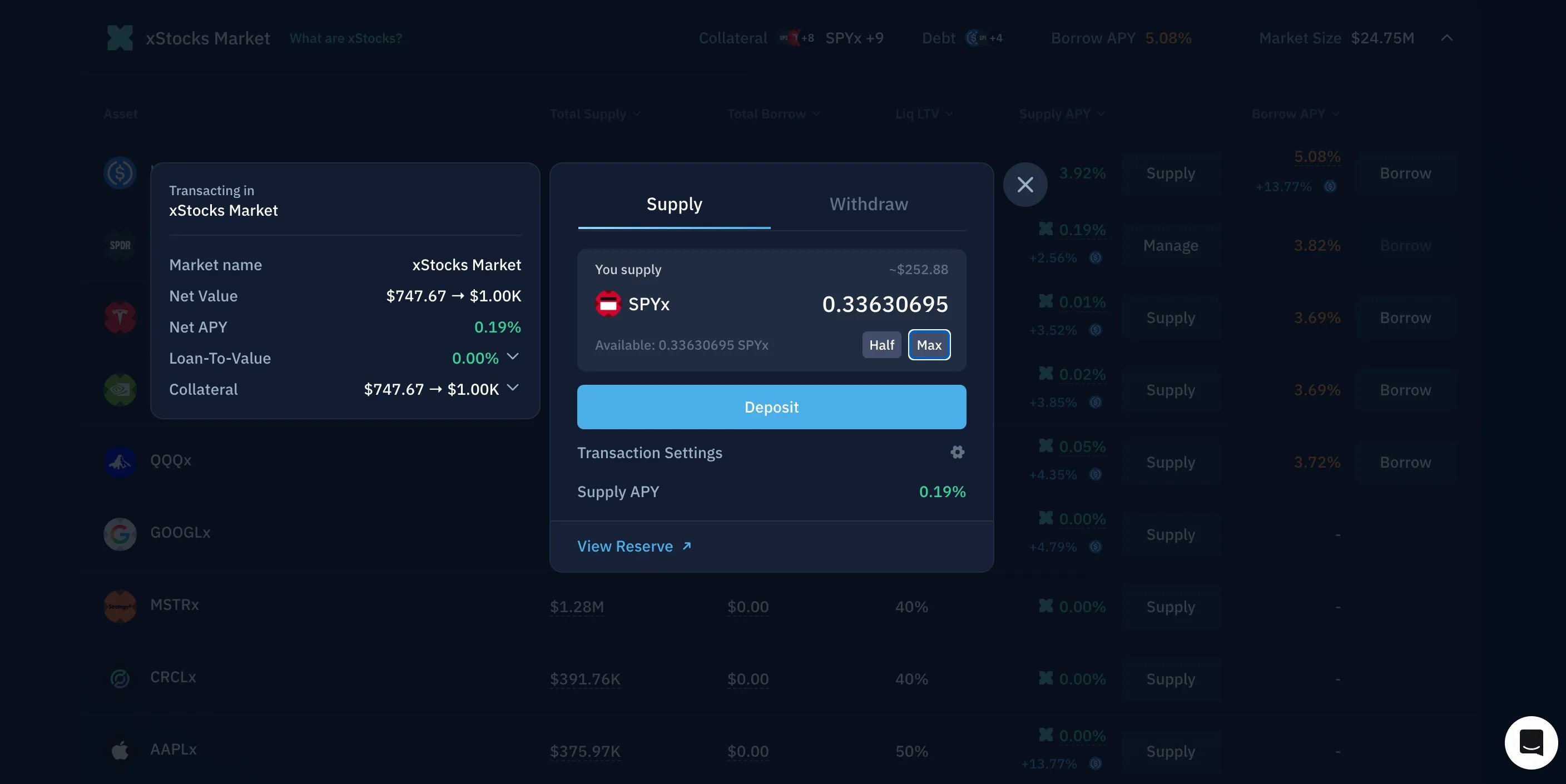
3
Borrow USDC
Under Borrow, select USDC. Enter the amount you want to borrow. Before confirming, review: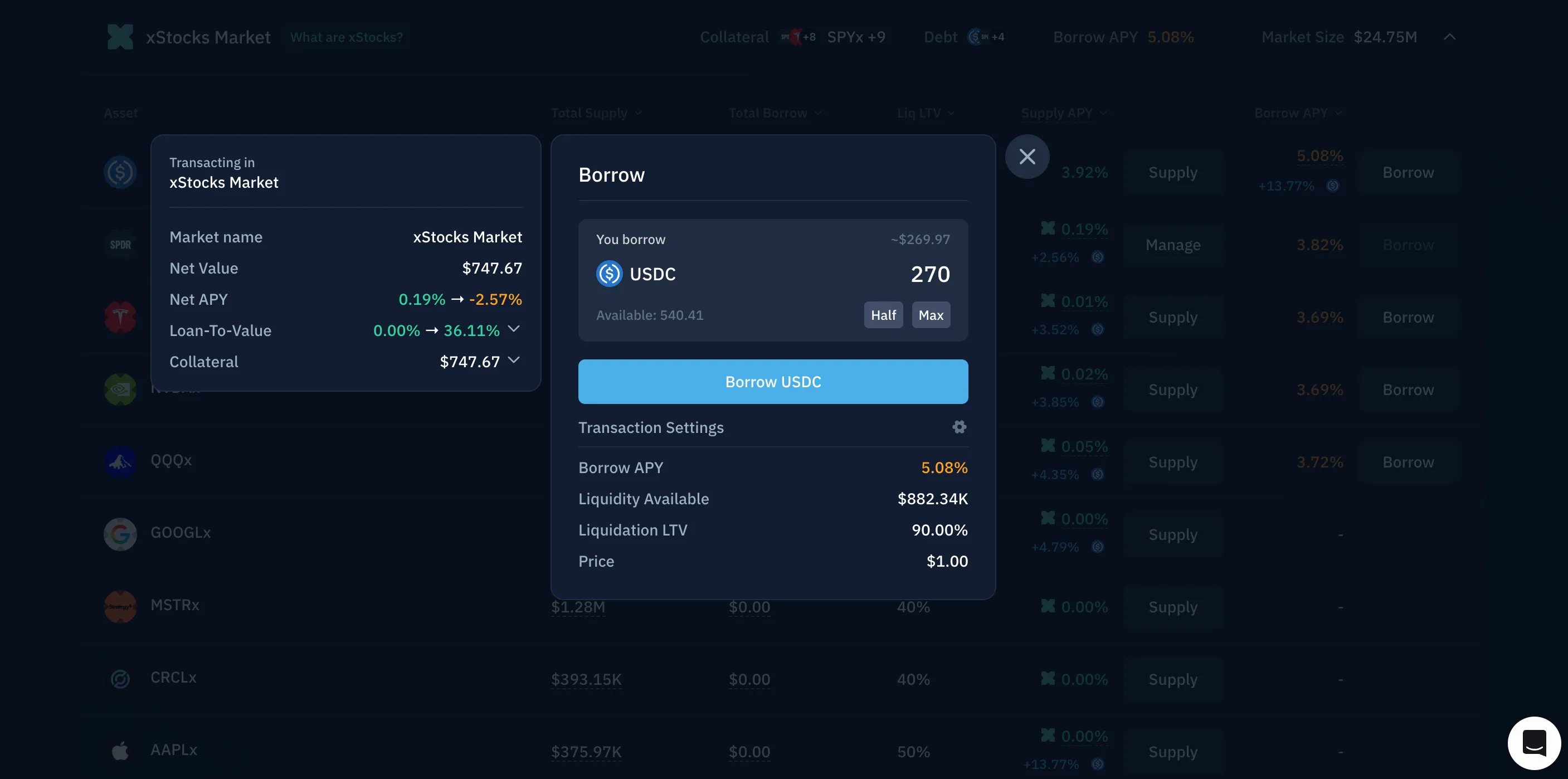
- Borrow APY
- Loan-to-value ratio
- Liquidation LTV
4
Swap the borrowed USDC for more xStock
Open Kamino Swap and exchange the borrowed USDC for the same xStock that you originally supplied.Review the quoted amount, price impact, and minimum received before confirming.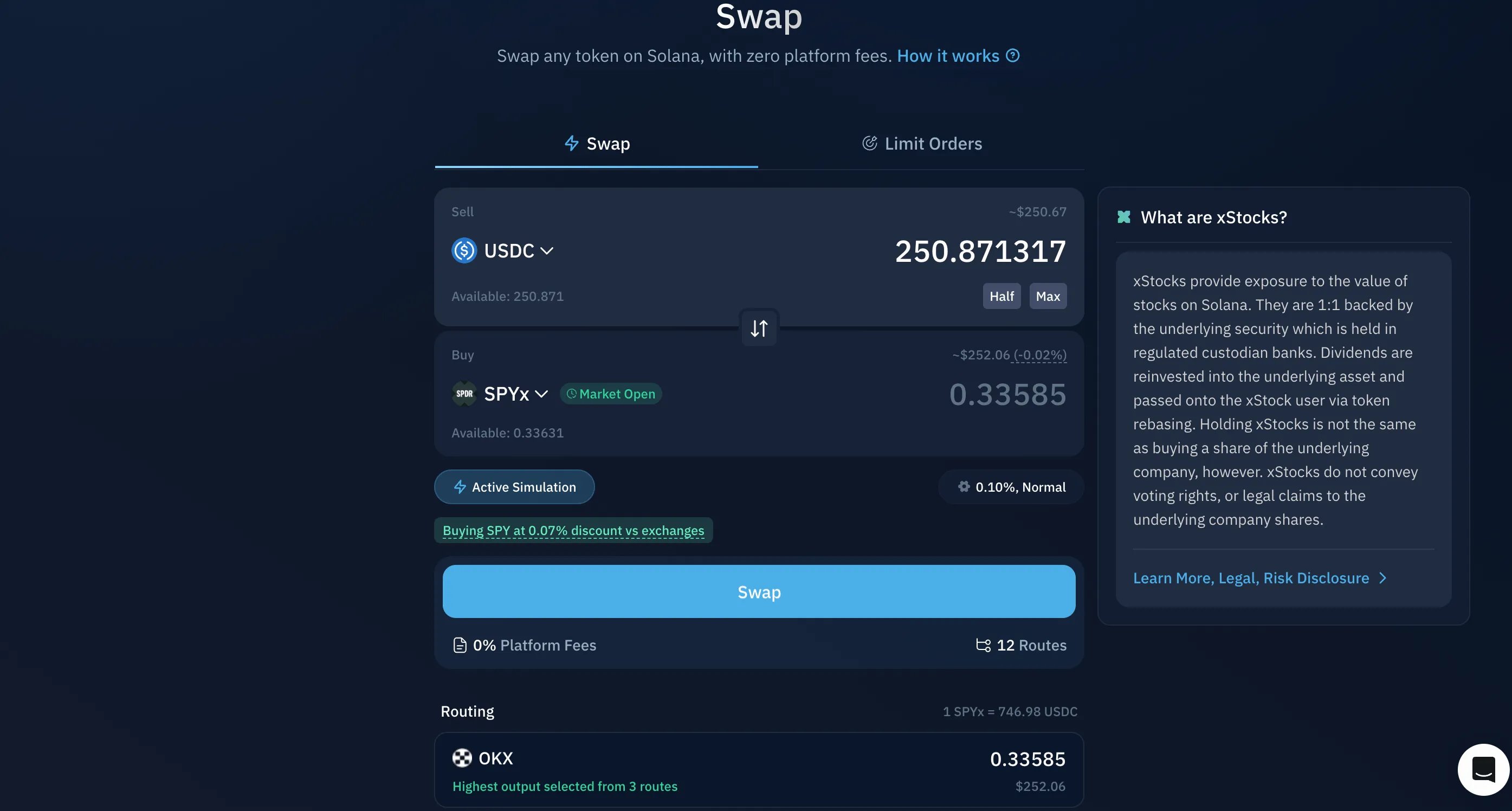
5
Optional: Supply the additional xStock
You can return to the xStocks Borrow market and supply the newly purchased xStock as additional collateral.This may allow you to borrow more USDC and repeat the process, commonly called looping.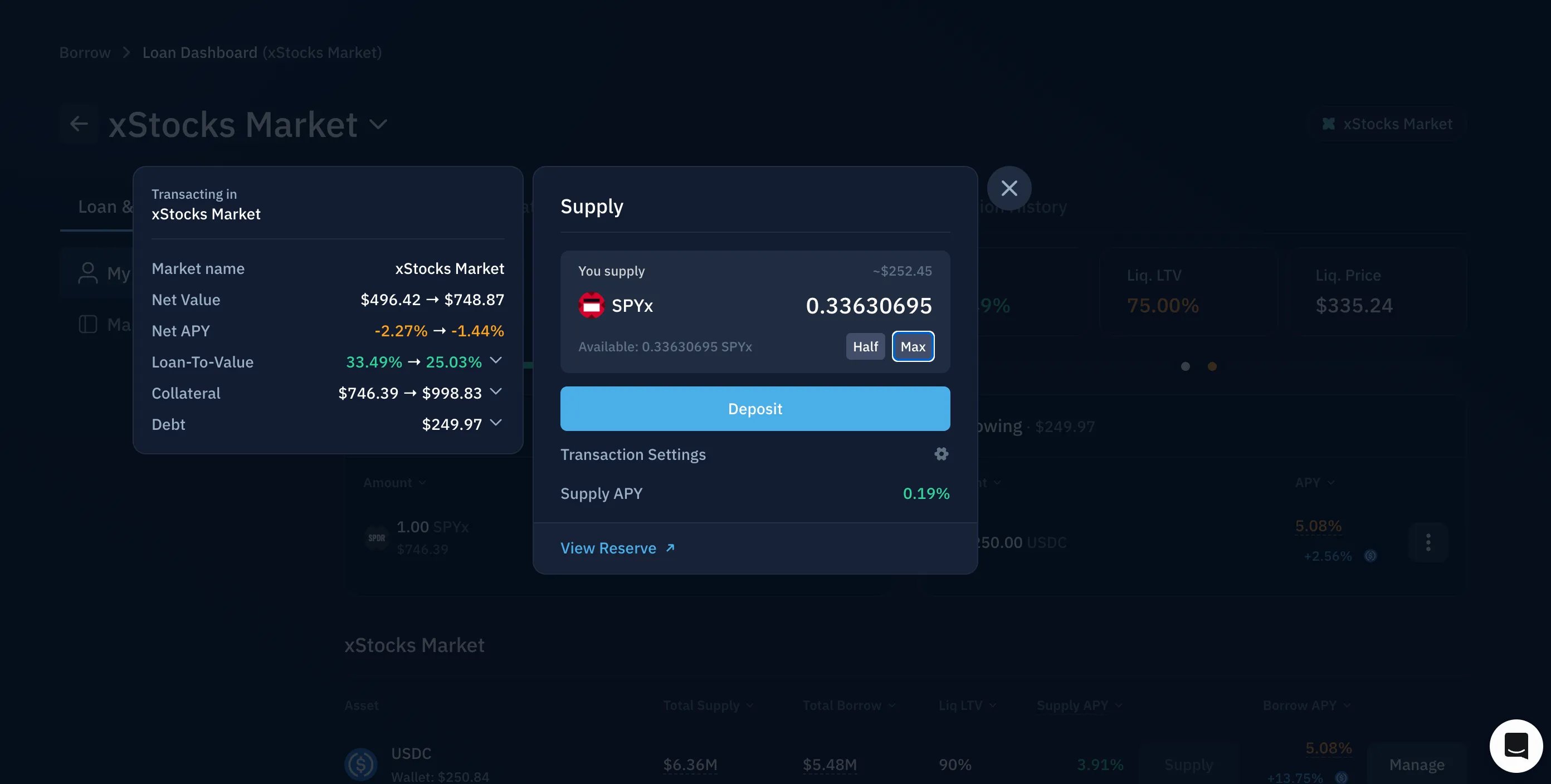
Each loop increases both your exposure and your risk. A decline in the xStock’s value can move the position closer to liquidation.
Closing a leveraged long position
Repay with collateral (one-click)
1
Select Repay with Collateral
Select Repay with Collateral on the debt token.
2
Enter the repayment amount
Enter the amount you want to repay.
3
Review and confirm
Review the quoted amount, price impact, and minimum received in the UI before confirming the transaction in your wallet.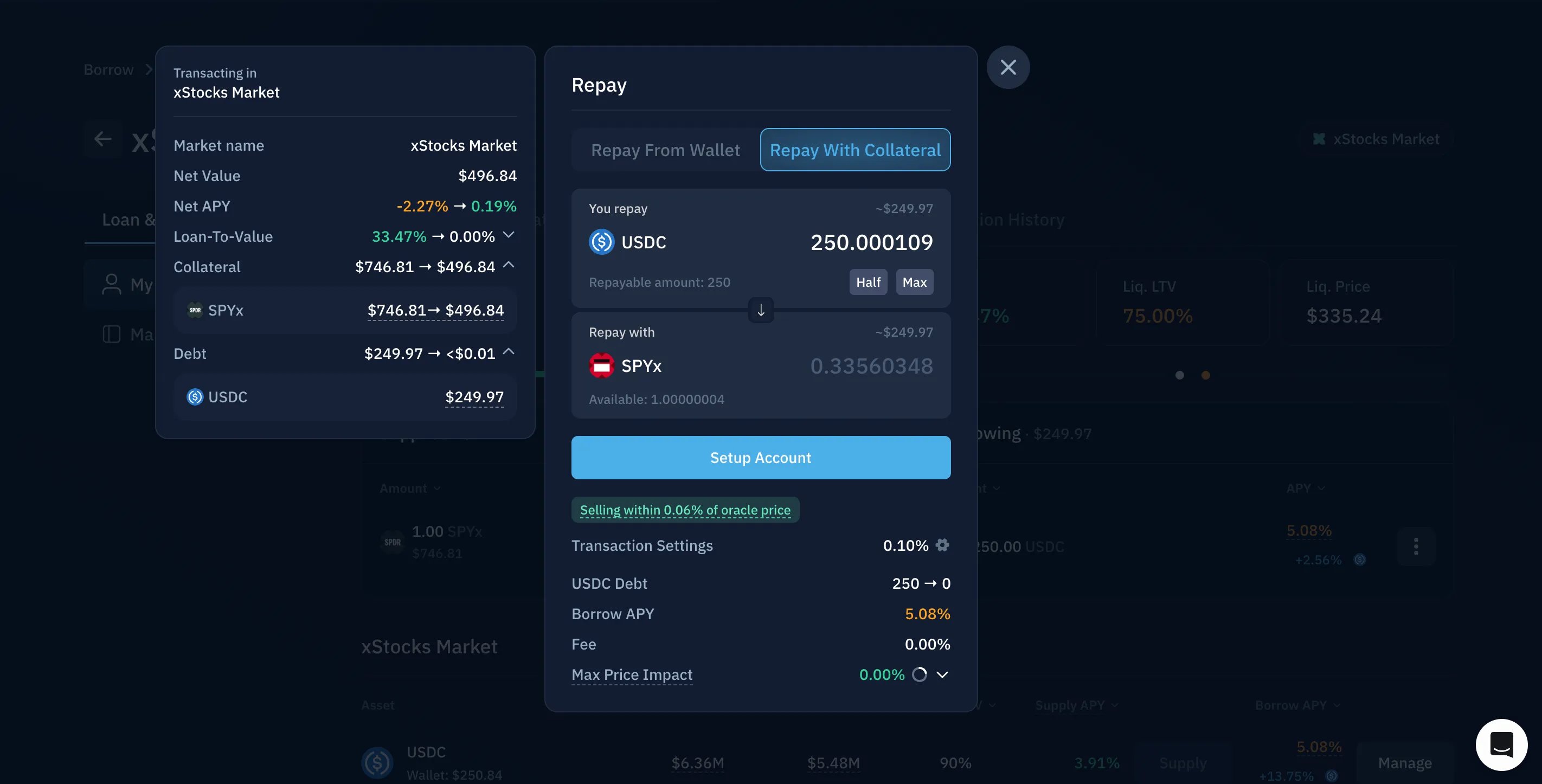
Manual unwind
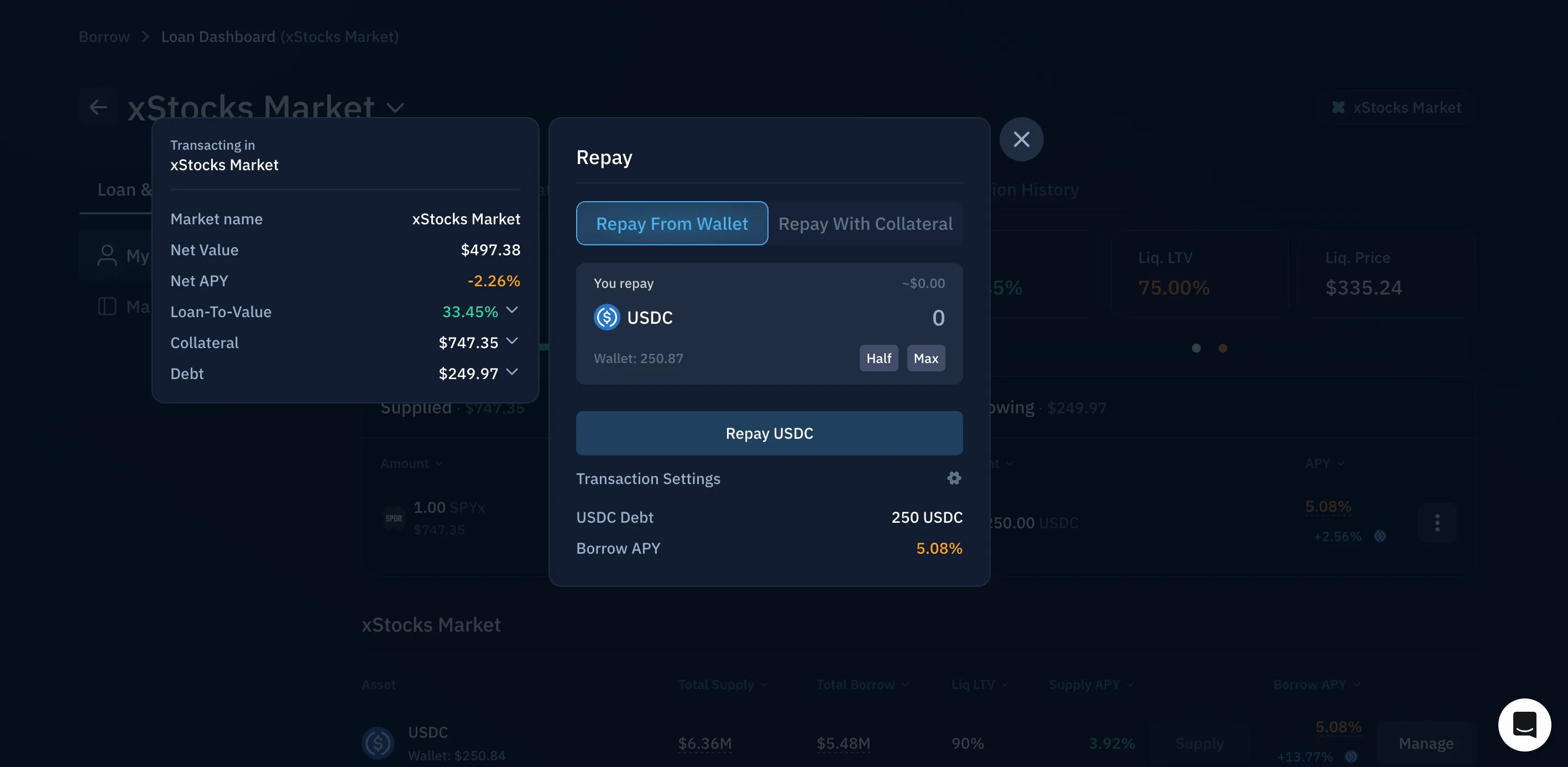
- Withdraw xStock to cover the outstanding USDC debt.
- Swap the withdrawn xStock for USDC.
- Repay the USDC loan using Repay from wallet.
- Withdraw the remaining collateral.