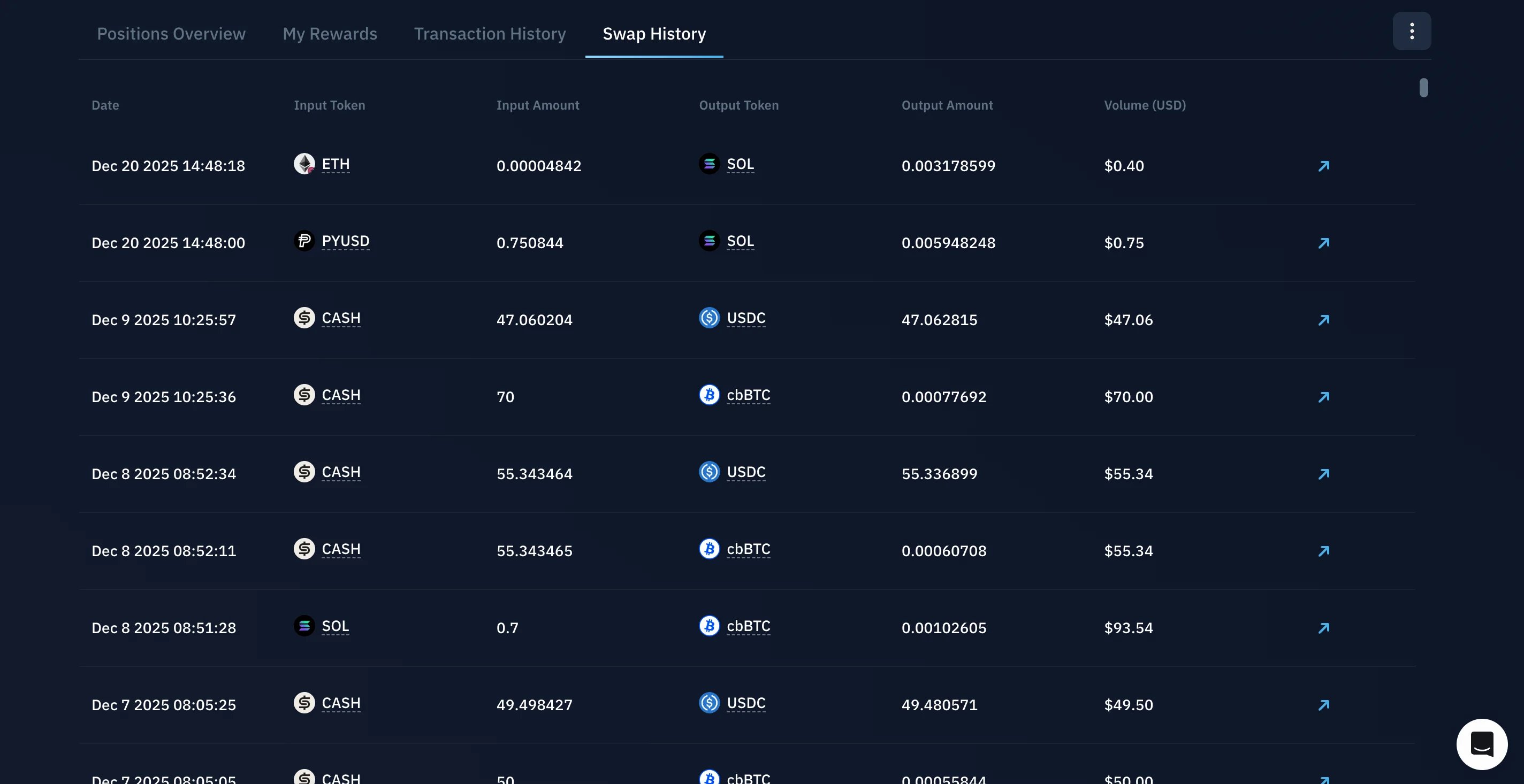
The Portfolio page brings your entire Kamino activity into one view: current positions, claimable rewards, transaction history, and swap history for the connected wallet.
Before you start
Connect the wallet whose activity you want to see. Everything on the Portfolio page reflects the connected wallet and updates when you switch wallets.Open your Portfolio
Open the Portfolio page in the Kamino app. Once your wallet is connected, the page populates with your data across every Kamino product.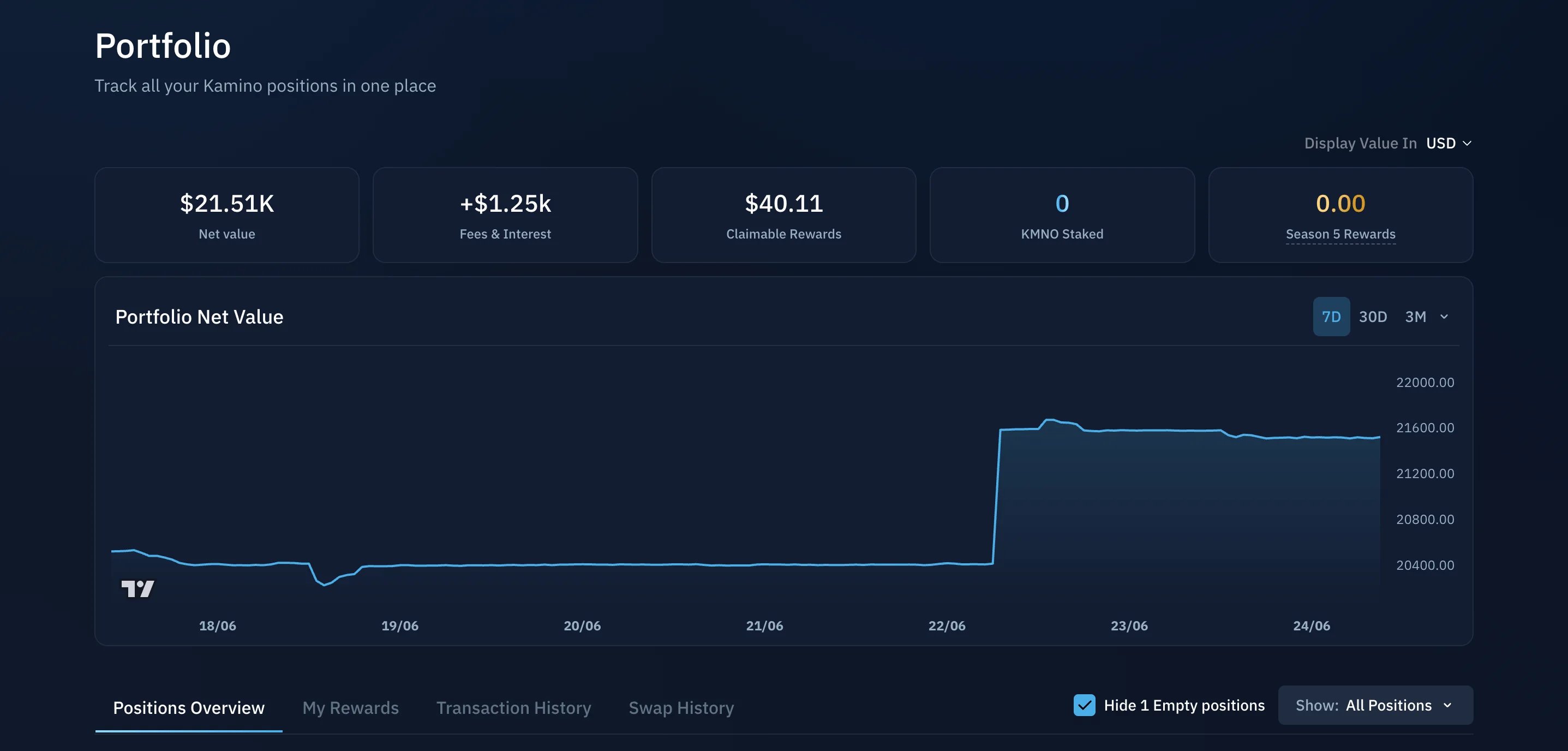
Portfolio data
The summary tiles at the top give you an at-a-glance view of your account:- Net value of the connected wallet
- Fees & Interest earned over the account’s lifetime
- Claimable Rewards available now
- KMNO Staked
- Season Rewards

Positions
The Positions Overview tab lists your active positions across every Kamino product: lending, borrowing, liquidity, Earn, and Multiply. It is the quickest way to see where your assets are deployed. Click any position to open and manage it.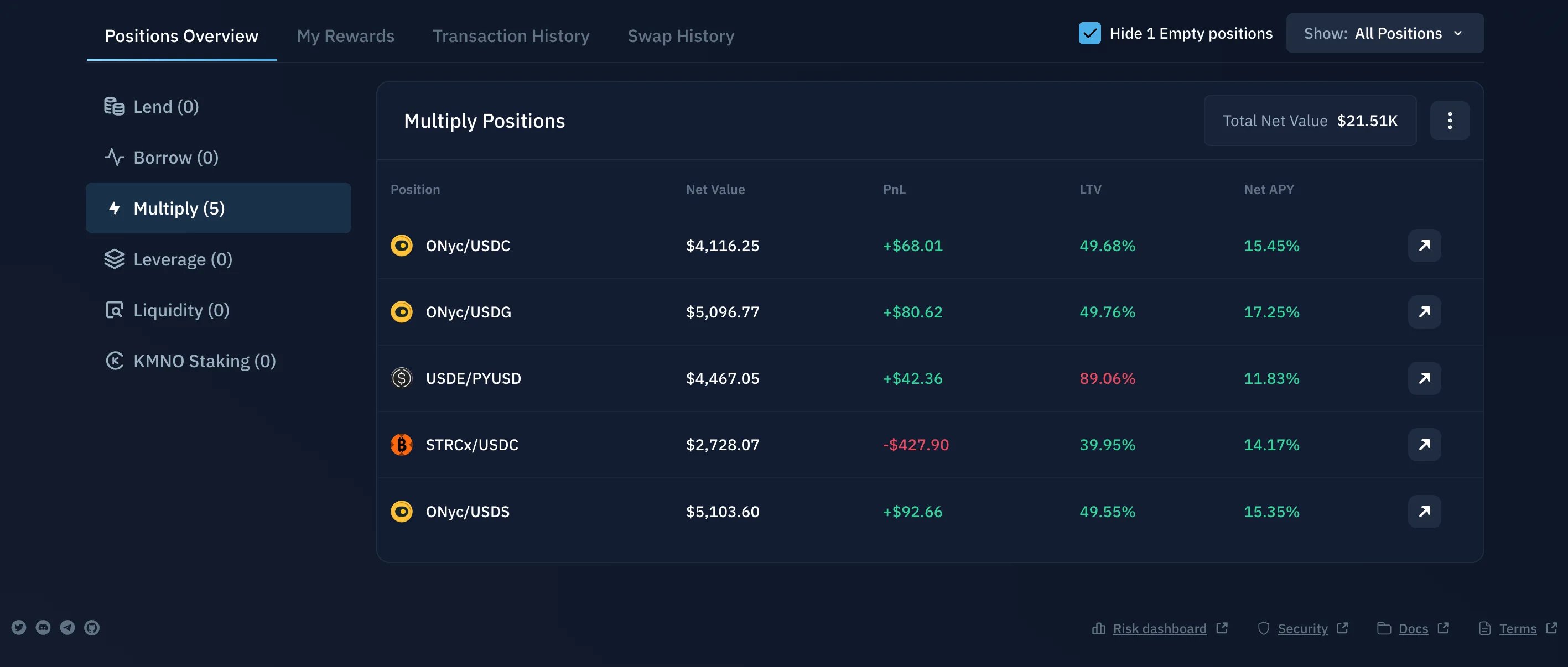
My Rewards
The My Rewards tab shows rewards you have earned that are available to claim. Review what is available and claim directly from here.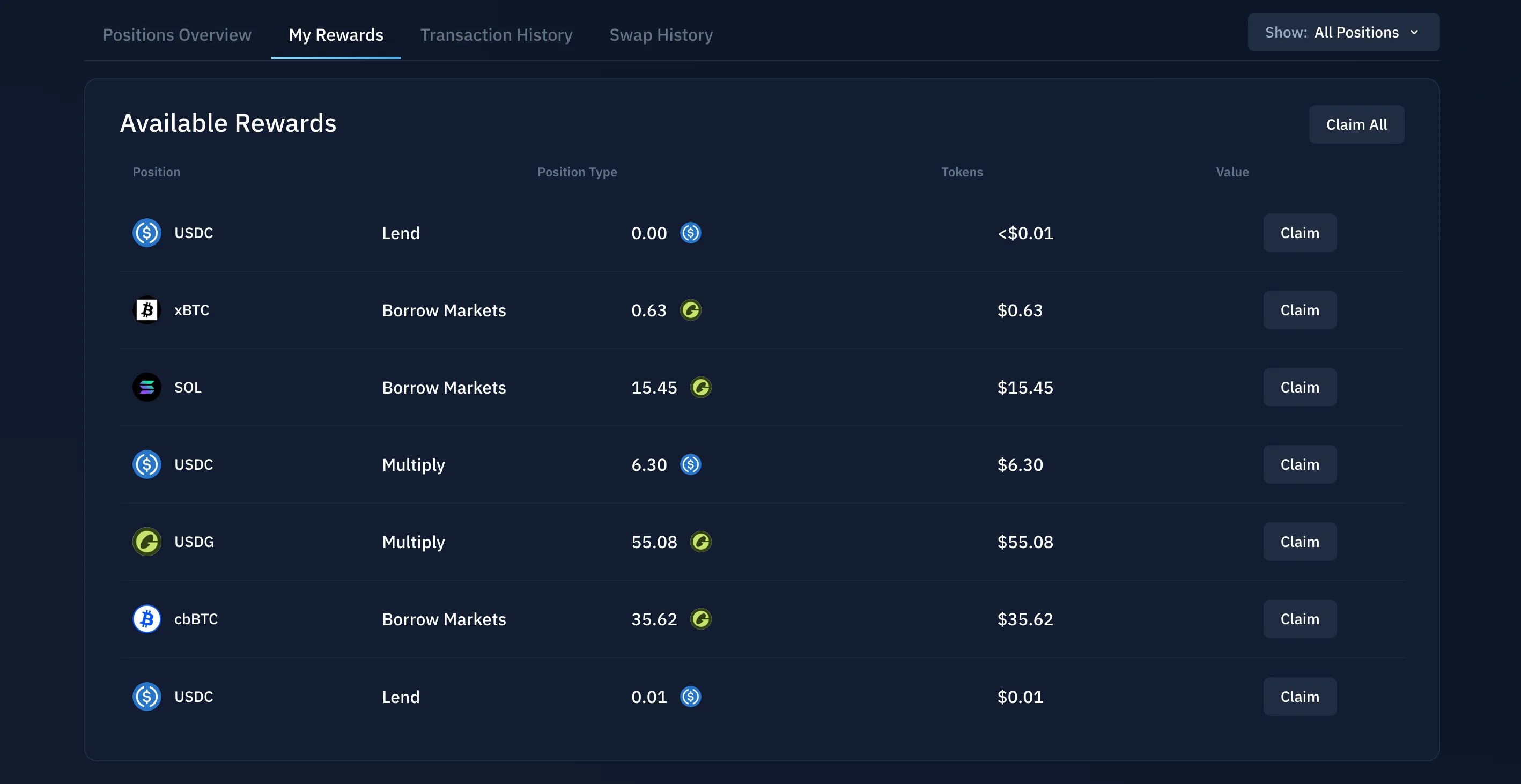
Transaction History
The Transaction History tab is a record of your past Kamino activity for the connected wallet: deposits, withdrawals, borrows, repayments, and other portfolio transactions.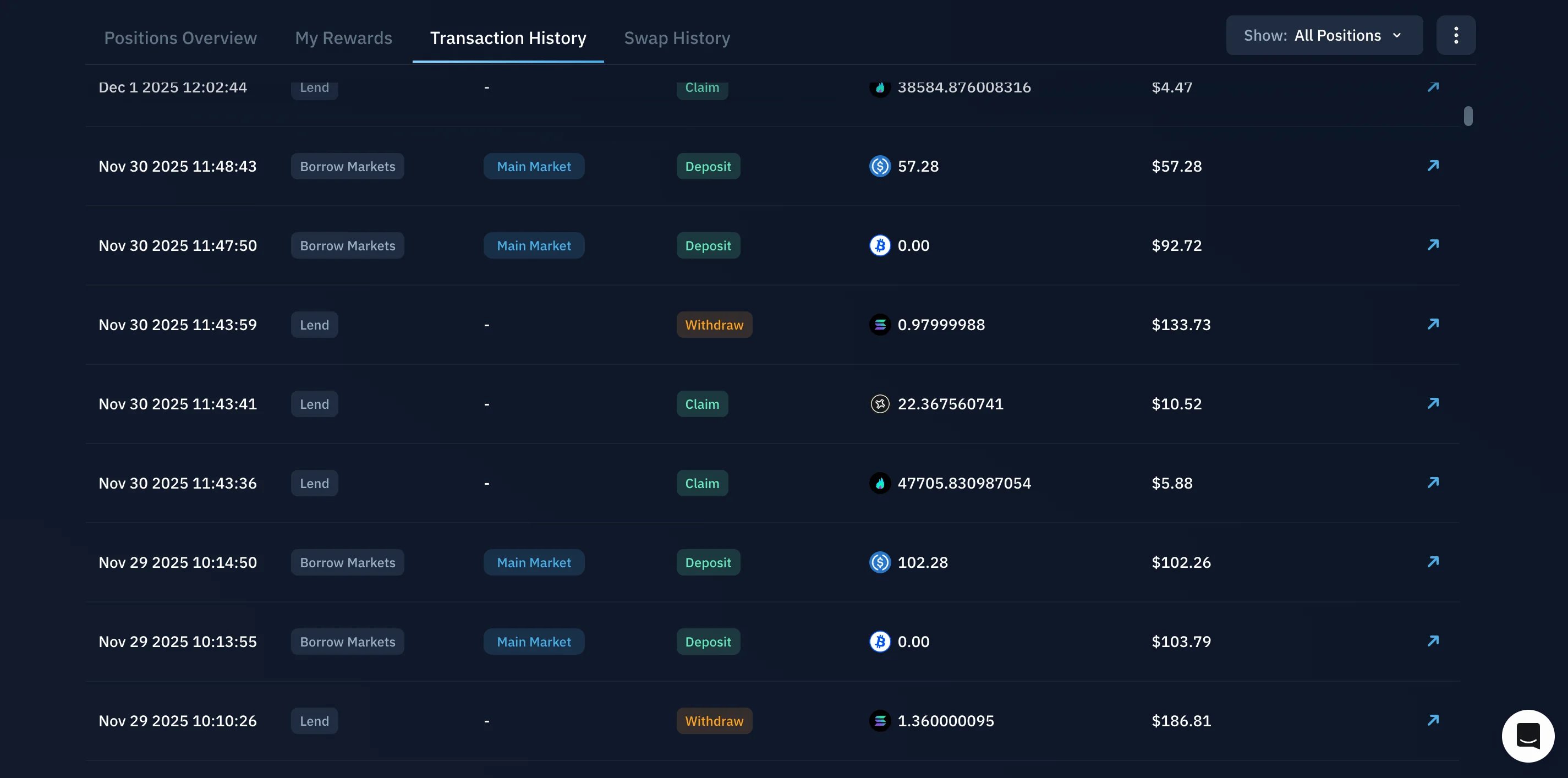
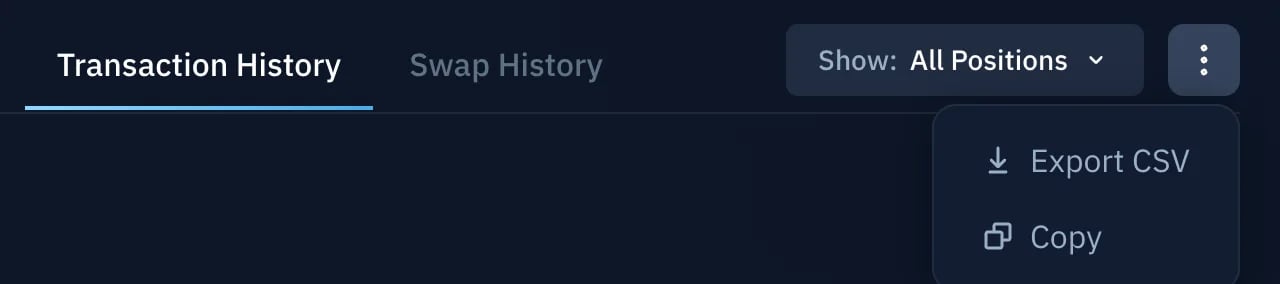
Swap History
The Swap History tab shows your previous swaps for the connected wallet, including the assets involved and the transaction details. Use the arrow icon to open any swap on-chain in a block explorer.