

Depositing into an Earn Vault puts a single token to work earning optimized yield. The vault allocates your deposit across Kamino lending reserves for you, and your position compounds automatically.
Before you start
- You deposit one token, and the vault spreads it across Kamino lending reserves for you, so you do not pick individual markets.
- You receive vault shares in return. Your share count stays the same, and each share grows in value as the vault earns yield (auto-compounding).
- Allocations are set by the vault’s curator, so your position follows the vault’s managed strategy.
Deposit step by step
1
Connect your wallet
Connect your wallet to Kamino.
2
Select an Earn Vault
Browse the available Earn Vaults and choose the one that matches the token you want to deposit.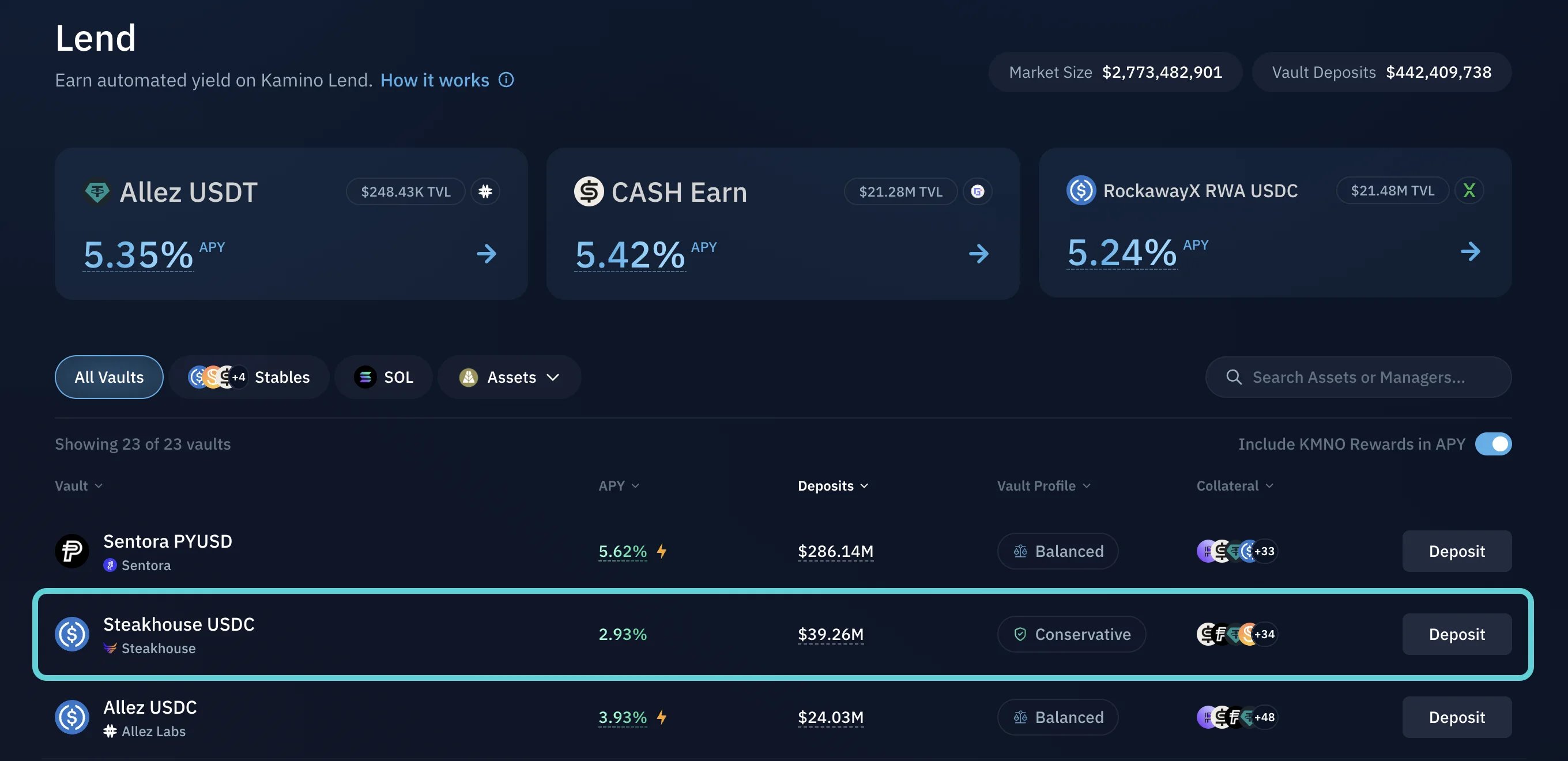
3
Deposit
Enter the amount you want to deposit, click Deposit, and confirm the transaction in your wallet.
4
Automatic allocation
Once confirmed, your tokens are deposited into the vault and automatically allocated according to its strategy.
How to Earn and Track Yield
Track your position and see your yield accrue.
How to Withdraw from an Earn Vault
Redeem your shares and withdraw your tokens.