After depositing assets as collateral into K-Lend, users can initiate borrowing through a straightforward process that involves selecting an asset, determining borrow amount, and monitoring loan-to-value (LTV) metrics.

Borrowing Process

Step 1: Select Asset and Initiate Borrow

Choose your desired asset from available options, then click the Borrow button. The interface displays how much yearly interest you will have to pay on your debt.

Step 2: Input Borrow Amount

Enter the amount to borrow and review the resulting impact on your LTV ratio. The maximum borrowable amount depends on your specific supplied and borrowed asset combinations. Borrow Interface
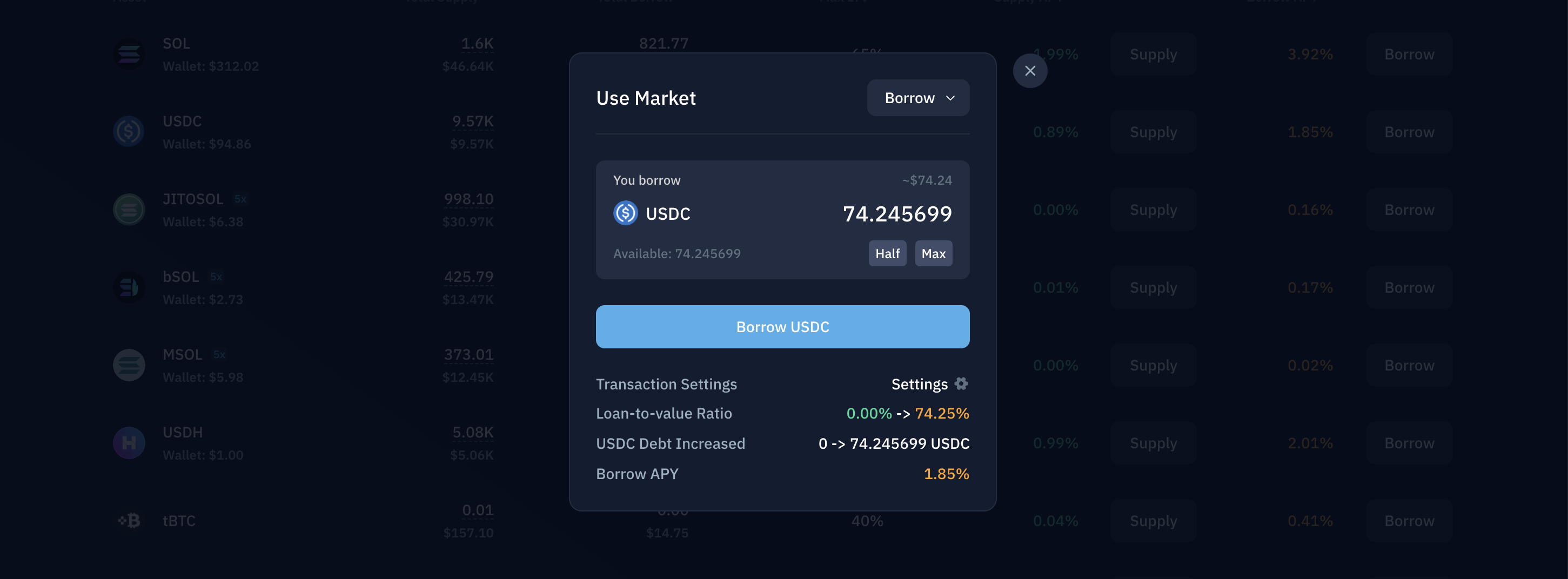
Step 3: Monitor LTV Impact

Your position’s loan-to-value ratio is critical:
  • Higher LTV: Moves your position closer to liquidation risk
  • Lower LTV: Creates a safer position with greater protection
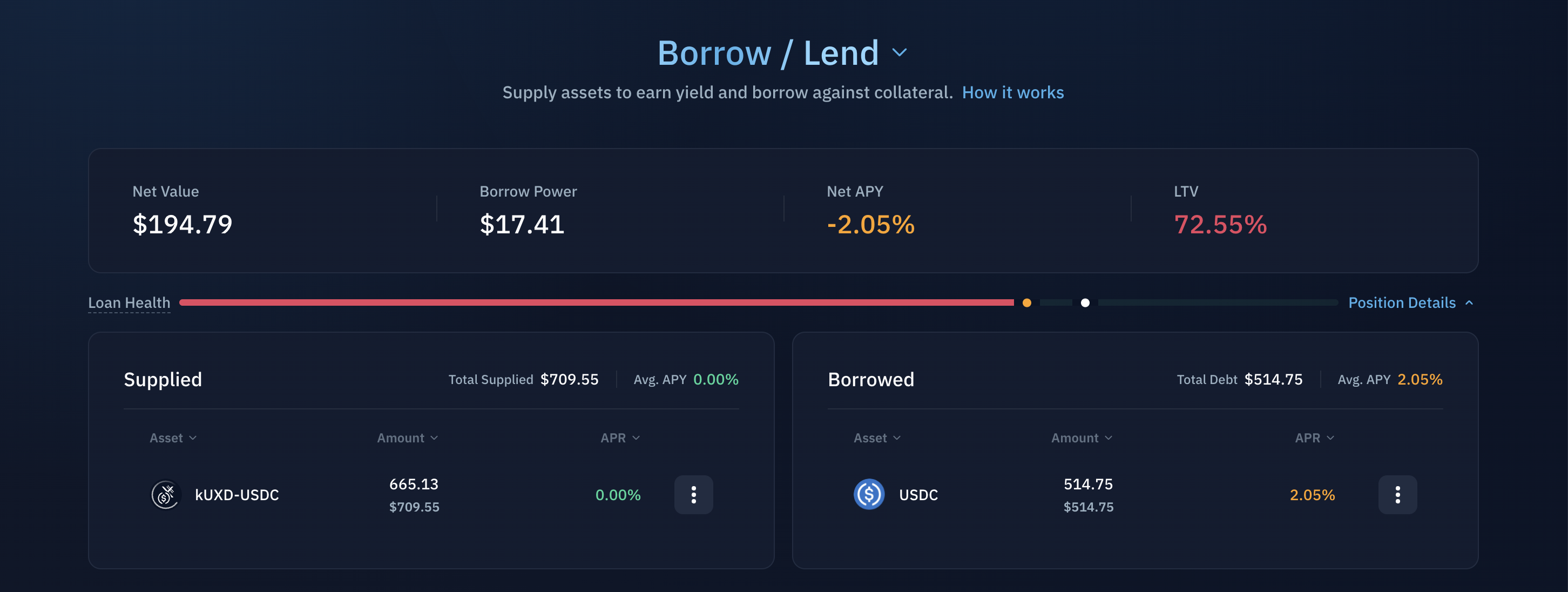
Position details appear at the top of the lending market interface, showing real-time effects of your borrowing action.
Borrow Position Details

Risk Considerations

Borrowing carries liquidation risk. Your position becomes vulnerable when:
  • Borrowed assets appreciate relative to collateral value
  • Collateral depreciates relative to debt amount
For comprehensive liquidation details, reference the Position Risk & Liquidations documentation.