Supply Steps
1. Access the Borrow/Lend Interface
Navigate to the Borrow/Lend section of the platform.2. Select Your Asset
Choose which asset you wish to deposit from the available options.3. Initiate Supply
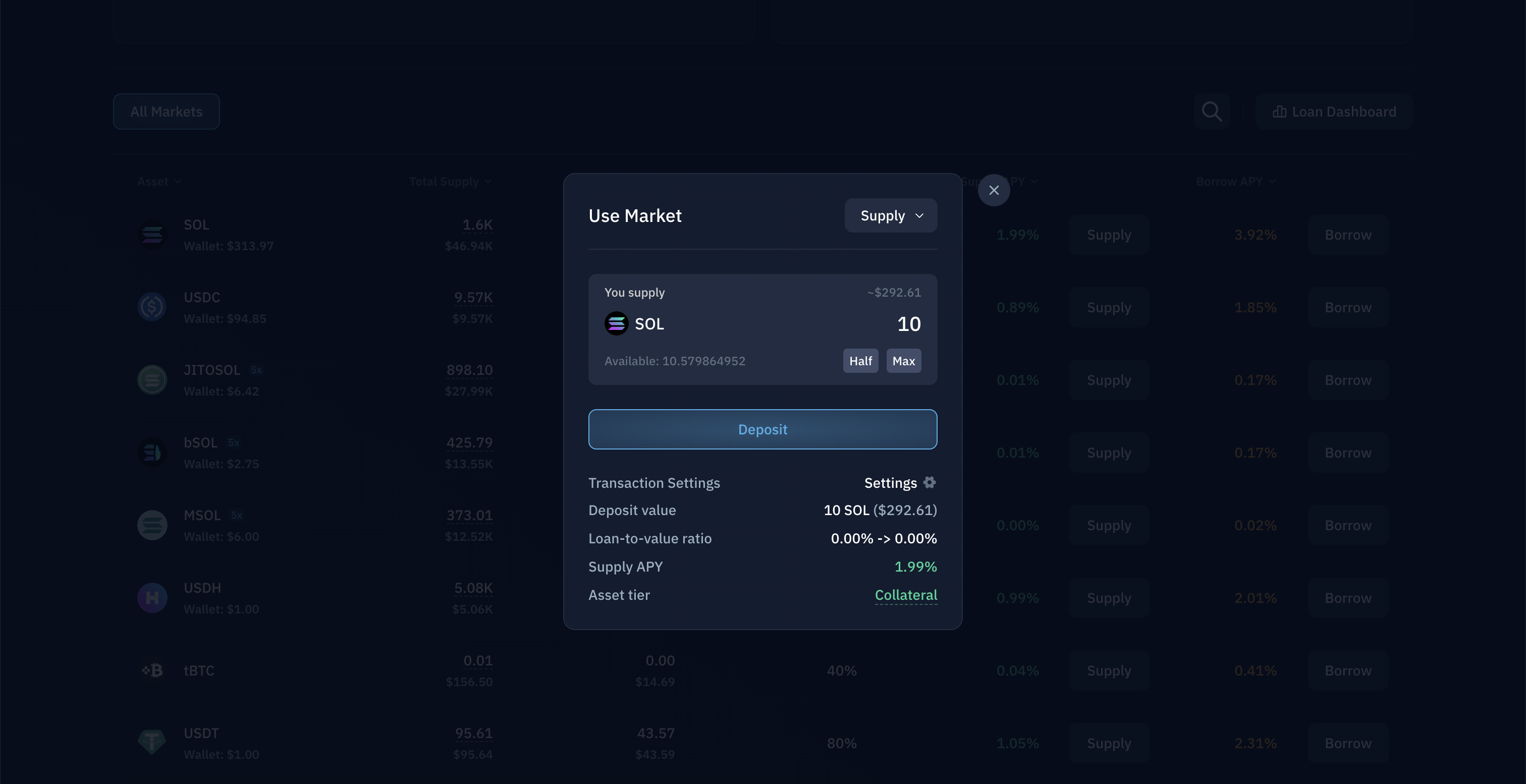
Click the Supply button located in the Lending list for your chosen asset.4. Complete the Transaction
In the Supply pop-up dialog:- Enter your desired supply amount
- Review the transaction details
- Click Supply to confirm
5. Review Market Information
To access additional market data for a specific asset, click on it to view its dedicated Market page with metrics and analytics.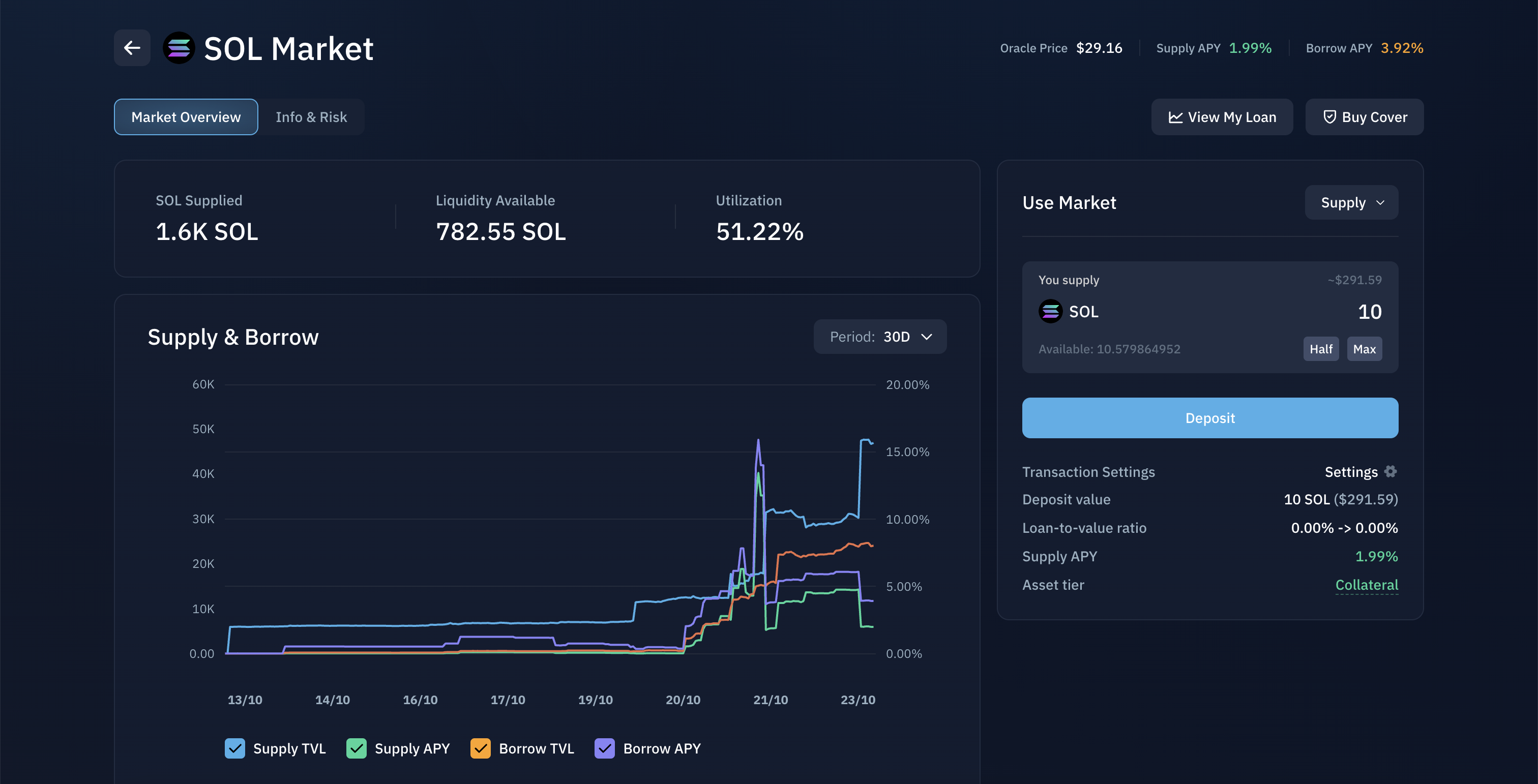
Position Management
Once your deposit is confirmed, your Position Details will appear at the top of the Borrow/Lend page, displaying your active supplies.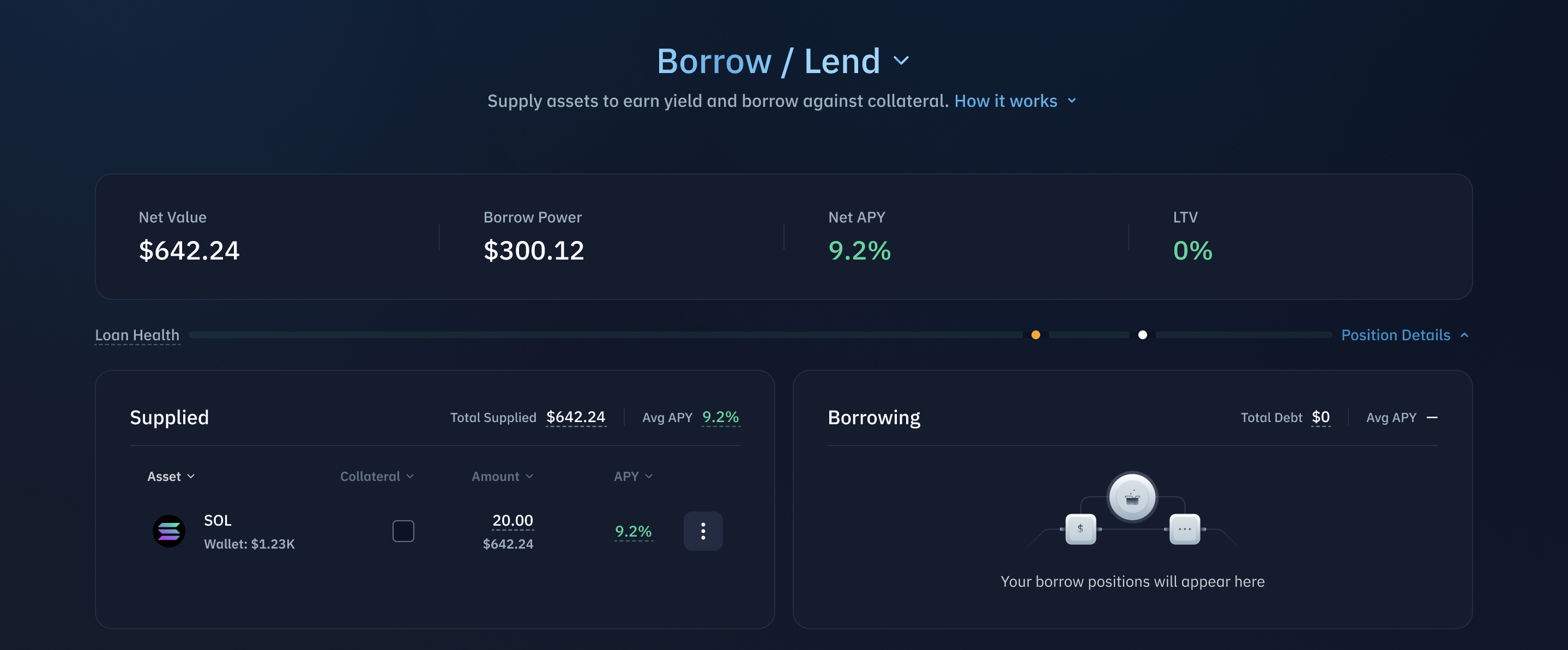
Withdrawing Assets
Method 1: Position Details Menu
- Locate your asset in Position Details
- Click the hamburger menu icon
- Select Withdraw
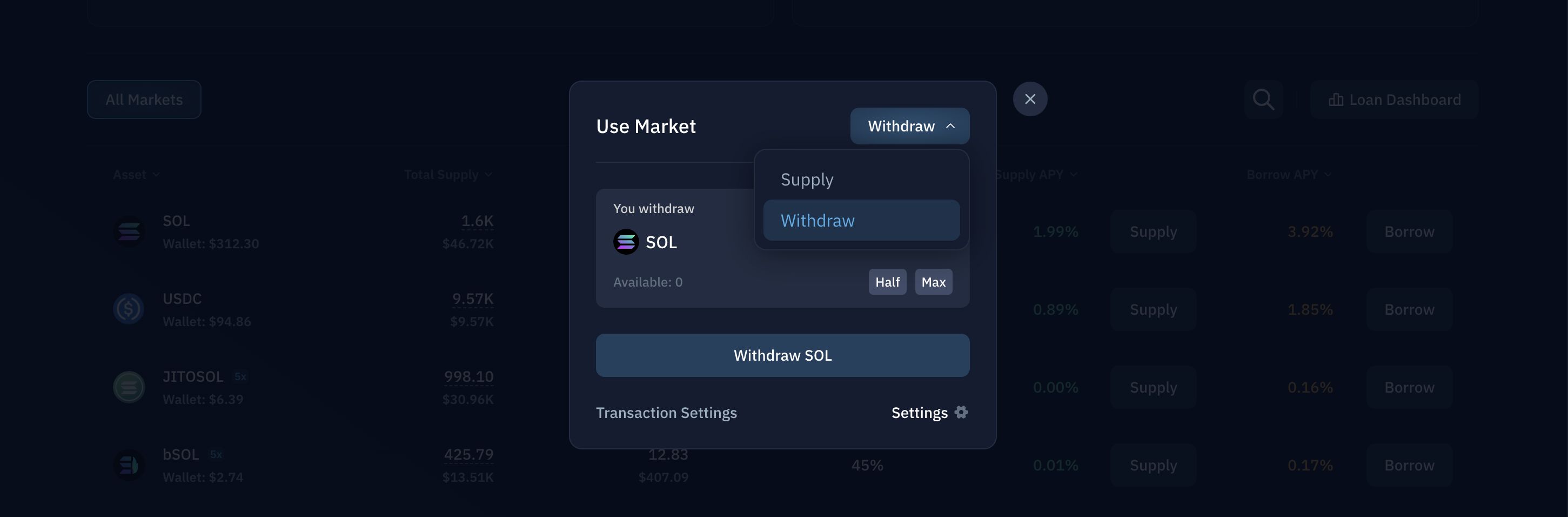
Method 2: Supply Dialog
- Click the deposit button for your asset in the list view
- In the deposit screen, open the dropdown menu
- Select Withdraw
- Enter your withdrawal amount