> ## Documentation Index
> Fetch the complete documentation index at: https://kamino.com/docs/llms.txt
> Use this file to discover all available pages before exploring further.
# How to View Your Portfolio
> See all your Kamino positions, rewards, and history for a connected wallet in one place.
The Portfolio page brings your entire Kamino activity into one view: current positions, claimable rewards, transaction history, and swap history for the connected wallet.
## Before you start
Connect the wallet whose activity you want to see. Everything on the Portfolio page reflects the connected wallet and updates when you switch wallets.
## Open your Portfolio
Open the **Portfolio** page in the Kamino app. Once your wallet is connected, the page populates with your data across every Kamino product.
 ## Portfolio data
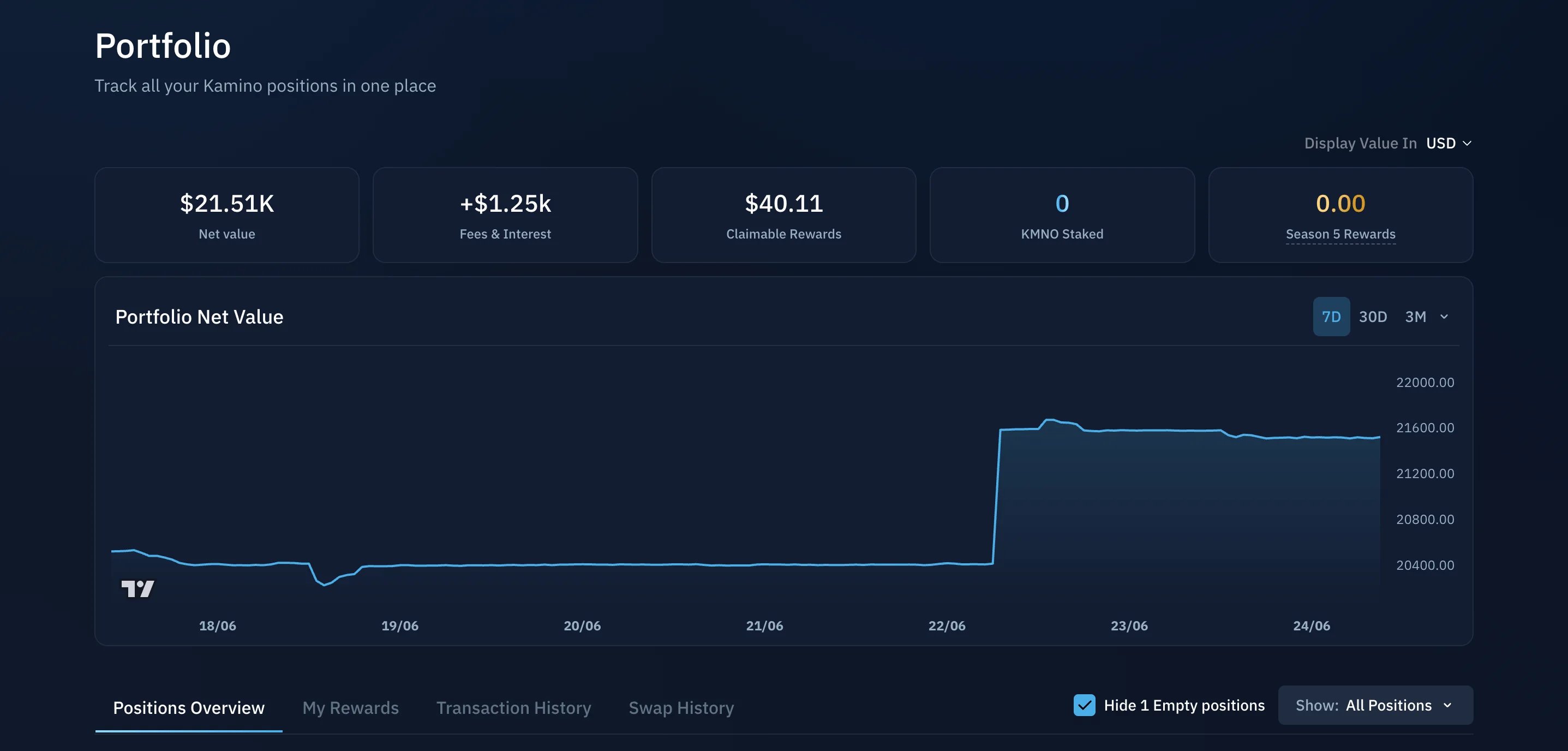
The summary tiles at the top give you an at-a-glance view of your account:
* **Net value** of the connected wallet
* **Fees & Interest** earned over the account's lifetime
* **Claimable Rewards** available now
* **KMNO Staked**
* **Season Rewards**
Below the tiles, the **Net Value** chart plots your portfolio value over time, with 7D, 30D, and 3M ranges. Use the **Display Value In** dropdown in the top right to switch all figures between USD and SOL.
## Portfolio data
The summary tiles at the top give you an at-a-glance view of your account:
* **Net value** of the connected wallet
* **Fees & Interest** earned over the account's lifetime
* **Claimable Rewards** available now
* **KMNO Staked**
* **Season Rewards**
Below the tiles, the **Net Value** chart plots your portfolio value over time, with 7D, 30D, and 3M ranges. Use the **Display Value In** dropdown in the top right to switch all figures between USD and SOL.
 ## Positions
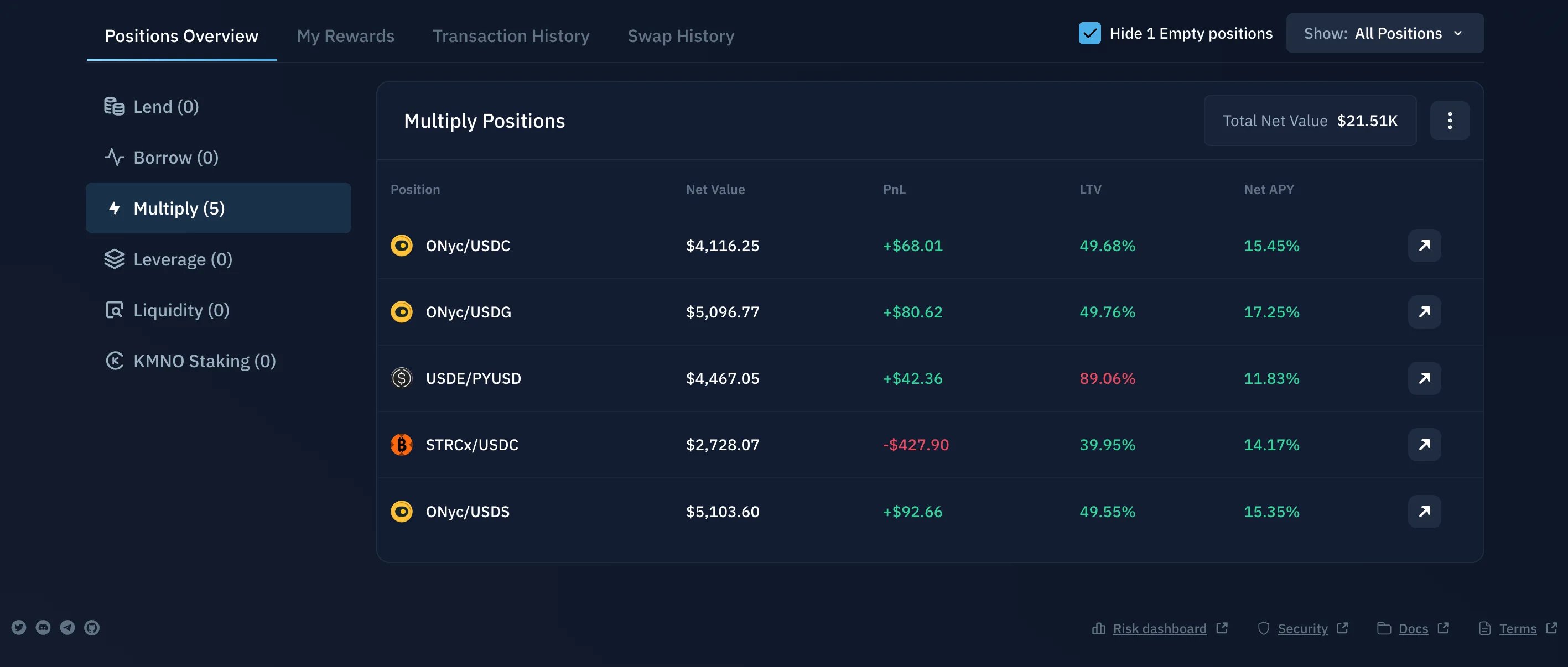
The **Positions Overview** tab lists your active positions across every Kamino product: lending, borrowing, liquidity, Earn, and Multiply. It is the quickest way to see where your assets are deployed. Click any position to open and manage it.
## Positions
The **Positions Overview** tab lists your active positions across every Kamino product: lending, borrowing, liquidity, Earn, and Multiply. It is the quickest way to see where your assets are deployed. Click any position to open and manage it.
 ## My Rewards
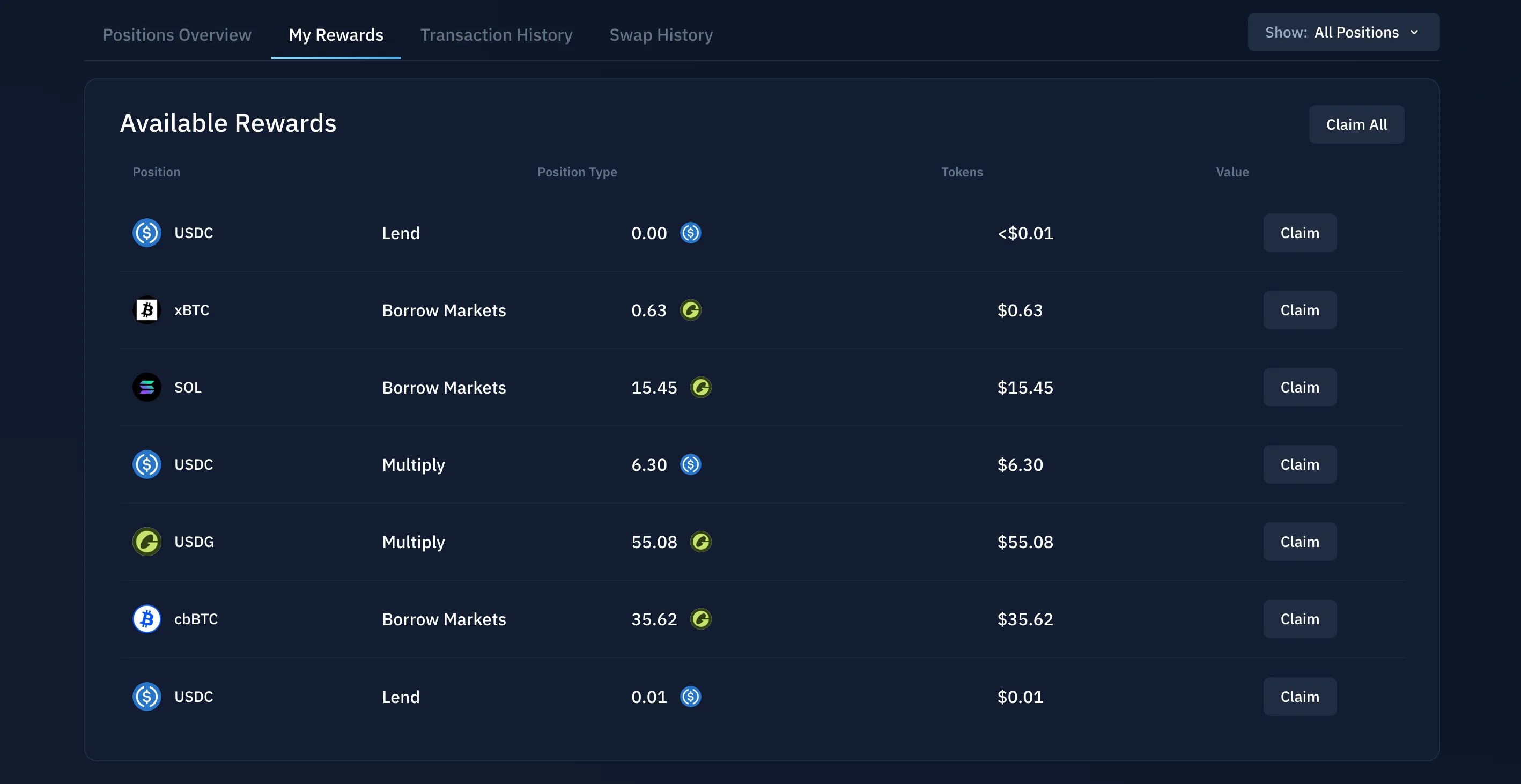
The **My Rewards** tab shows rewards you have earned that are available to claim. Review what is available and claim directly from here.
## My Rewards
The **My Rewards** tab shows rewards you have earned that are available to claim. Review what is available and claim directly from here.
 ## Transaction History
The **Transaction History** tab is a record of your past Kamino activity for the connected wallet: deposits, withdrawals, borrows, repayments, and other portfolio transactions.
## Transaction History
The **Transaction History** tab is a record of your past Kamino activity for the connected wallet: deposits, withdrawals, borrows, repayments, and other portfolio transactions.
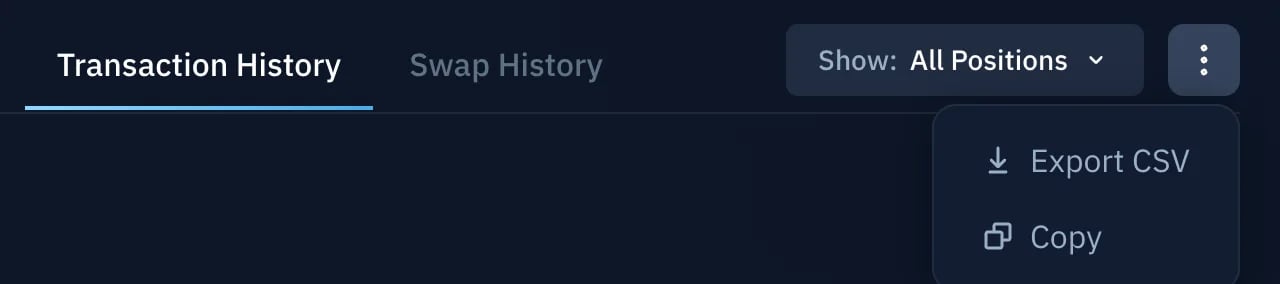
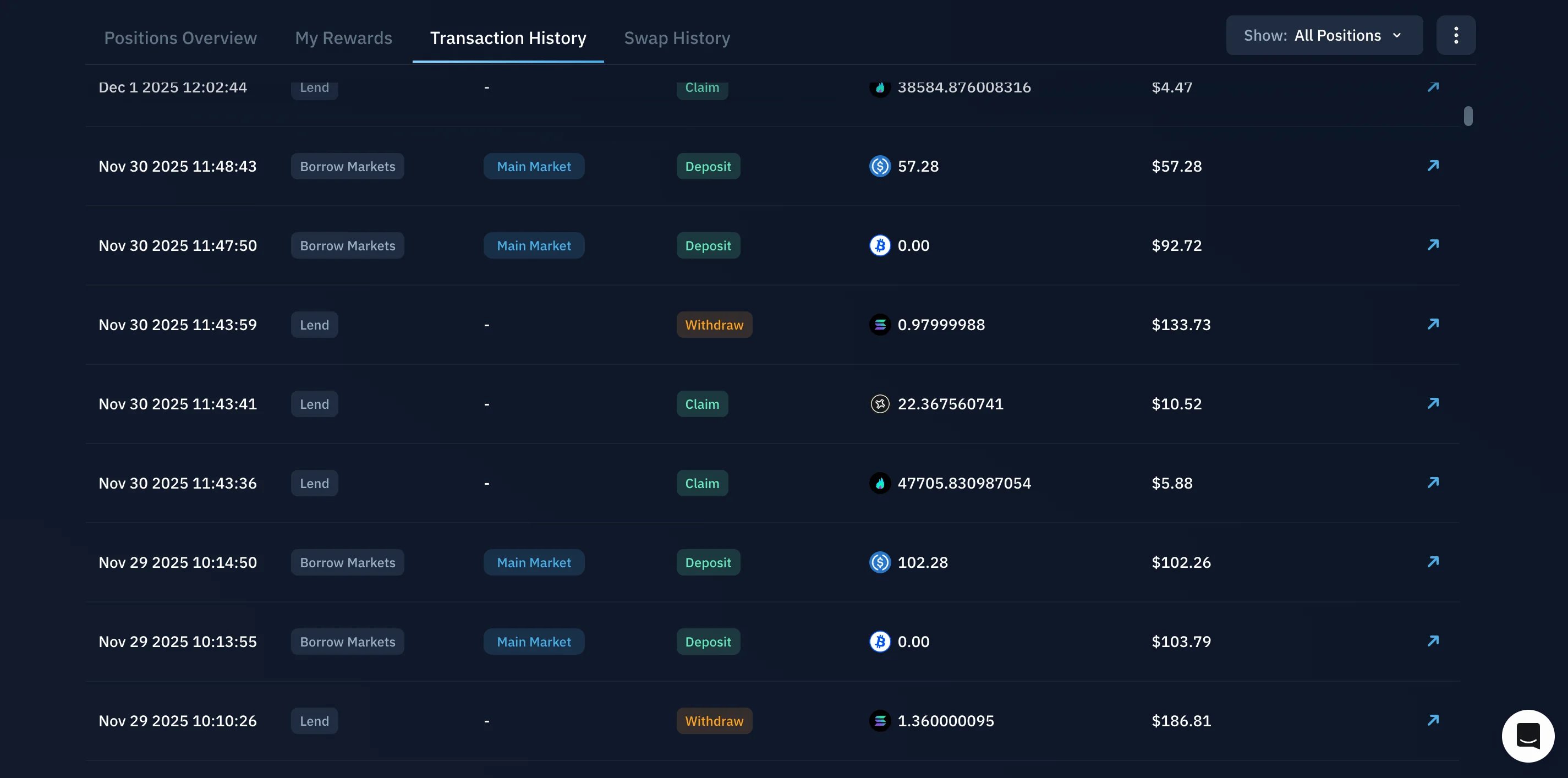 For each entry, use the arrow icon to open the on-chain transaction in a block explorer. From the menu in the top right, you can also **Export CSV** or **Copy** your history.
 ## Swap History
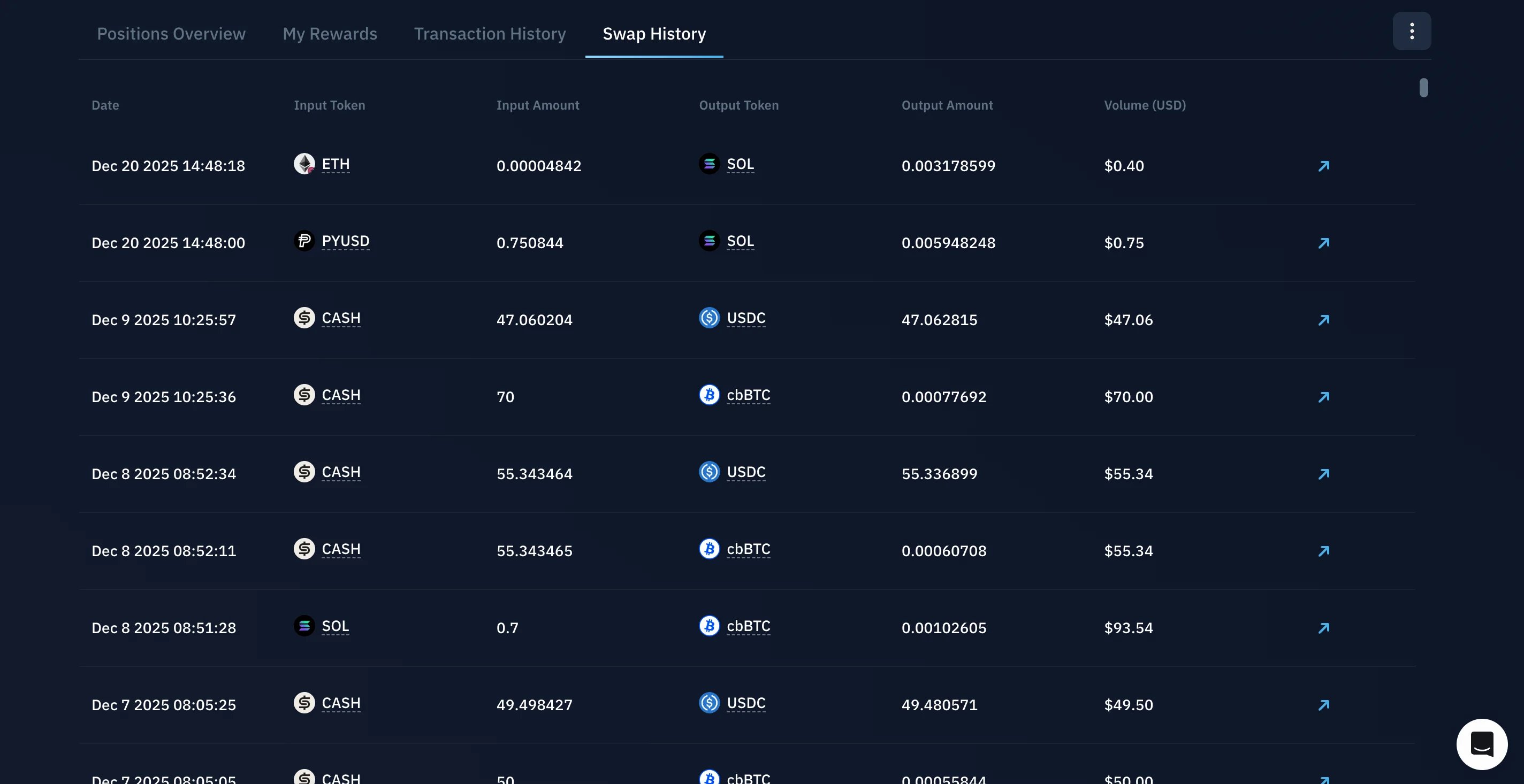
The **Swap History** tab shows your previous swaps for the connected wallet, including the assets involved and the transaction details. Use the arrow icon to open any swap on-chain in a block explorer.
## Swap History
The **Swap History** tab shows your previous swaps for the connected wallet, including the assets involved and the transaction details. Use the arrow icon to open any swap on-chain in a block explorer.