> ## Documentation Index
> Fetch the complete documentation index at: https://kamino.com/docs/llms.txt
> Use this file to discover all available pages before exploring further.
# How to Withdraw from an Earn Vault
> Redeem your vault shares and withdraw your tokens, including any yield earned.
Withdrawing redeems your vault shares for the deposit token at the current share price. Any yield you have earned is included in what you receive.
## Withdraw step by step
Navigate to the Earn Vault where you have an active position.
Click **Withdraw**, enter the amount you want to withdraw, and confirm the transaction in your wallet.
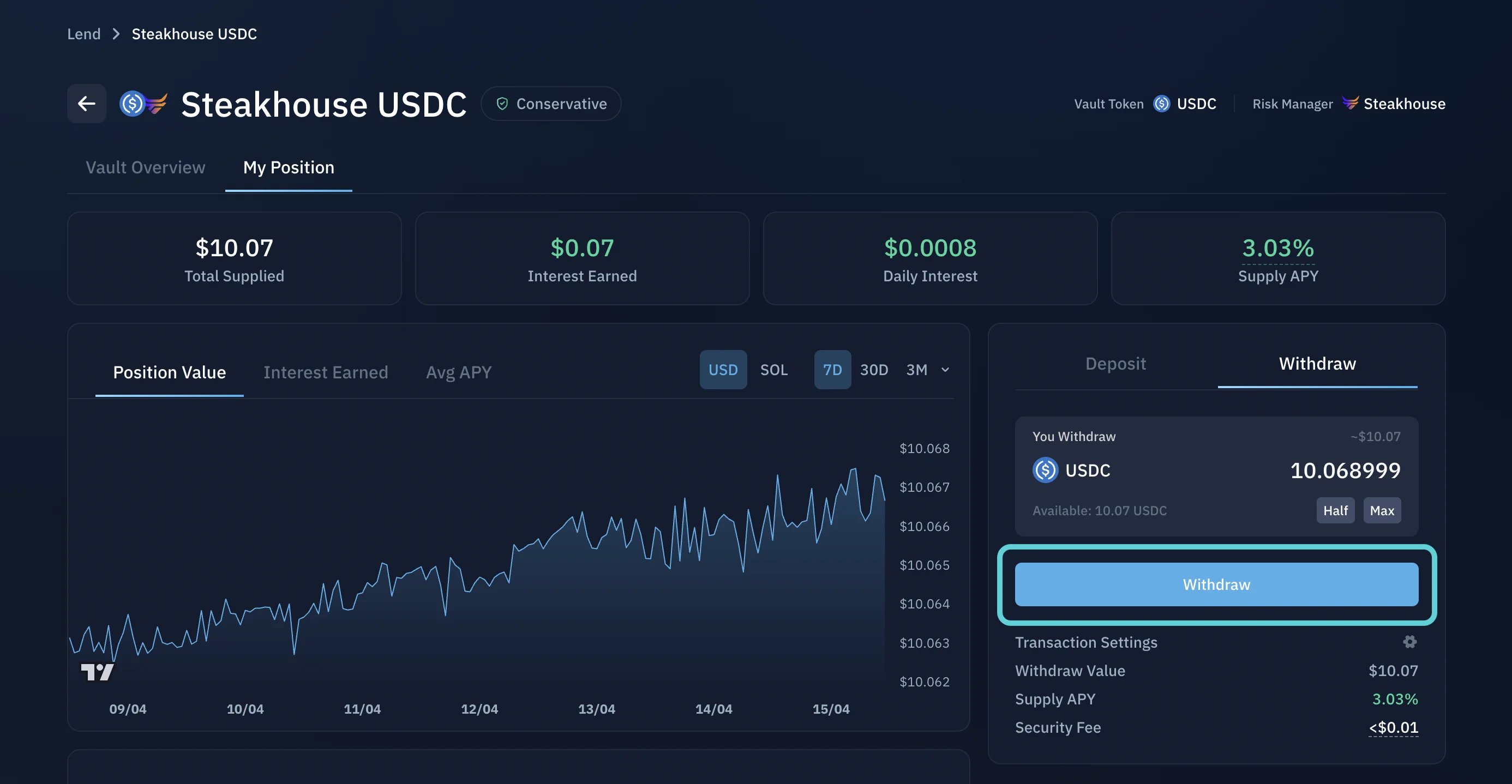 Once confirmed, the tokens are returned to your wallet.
Vaults keep a liquid buffer for withdrawals, but larger withdrawals may require capital to be recalled from the underlying reserves. In high-utilization conditions, withdrawals may be delayed until liquidity becomes available.
Track your position and see your yield accrue.
What to keep in mind about allocation, yield, and liquidity.
Once confirmed, the tokens are returned to your wallet.
Vaults keep a liquid buffer for withdrawals, but larger withdrawals may require capital to be recalled from the underlying reserves. In high-utilization conditions, withdrawals may be delayed until liquidity becomes available.
Track your position and see your yield accrue.
What to keep in mind about allocation, yield, and liquidity.