> ## Documentation Index
> Fetch the complete documentation index at: https://kamino.com/docs/llms.txt
> Use this file to discover all available pages before exploring further.
# Plan Your Vault
> Understand the decisions a curator makes when designing and operating a Kamino lending vault
A Kamino lending vault accepts a single deposit asset and allocates it across selected Kamino lending reserves. Depositors receive vault shares representing their portion of the vault and earn the yield generated by those reserves. The curator decides where capital can go and adjusts the strategy as conditions change.
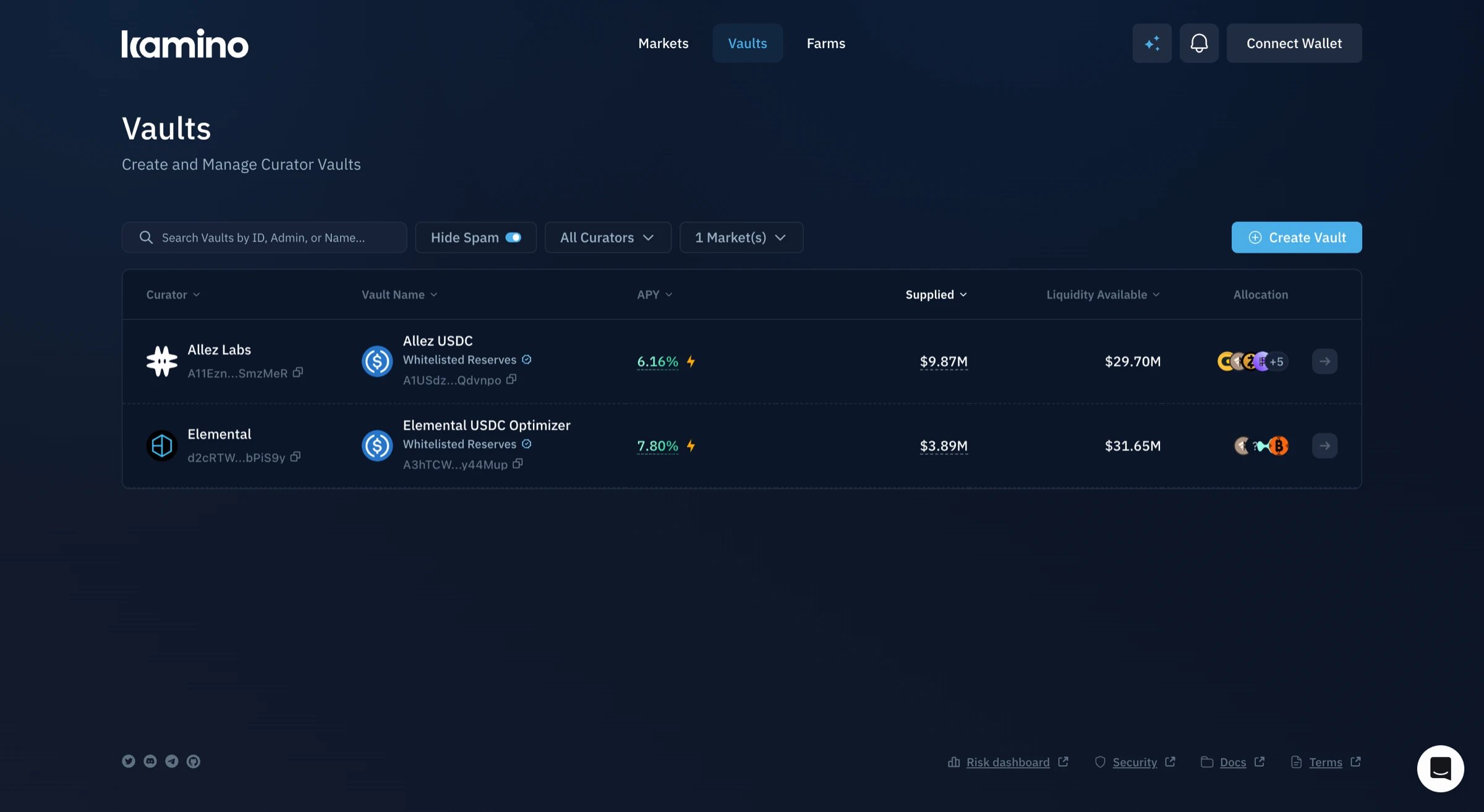 A vault does not create a new lending market. It allocates deposits across existing reserves. The yield it generates depends on how those reserves perform and how the curator distributes capital between them.
By the end of this guide
Curators should understand:
* What a Kamino lending vault does and what vault shares represent.
* The settings that determine where capital is allocated and when it moves between reserves.
* What determines how much capital remains available for withdrawals.
* Which fees generate curator revenue and how farm rewards reach depositors.
* What the Insurance Pool and Whitelisted Reserves protect.
* Which vault responsibilities can be delegated and why administrative authority is transferred to a multisig.
* When changing vault conditions may require an adjustment.
***
## A Vault in One Example
Planning a vault starts with understanding how depositor capital moves through it. Consider a vault that accepts USDC and allocates it between two USDC reserves in different Kamino lending markets. Depositors supply USDC and receive vault shares. The vault distributes their USDC according to the curator's allocation targets.
When a depositor adds USDC, the vault issues vault shares (SPL tokens) representing their portion of its total assets. As the vault earns interest, the value of each share increases. The depositor later redeems those shares for USDC at the current exchange rate.
Suppose the vault holds \$1 million USDC and the curator sets a 60% allocation to one reserve and 40% to another. The vault targets \$600,000 in the first reserve and \$400,000 in the second. Because each reserve earns a different supply rate, the vault's yield reflects the amount allocated to each one.
As the vault's balance changes, the amount held in each reserve can move away from the 60/40 target allocation. A permissionless crank periodically moves available capital so each reserve moves closer to its target. The curator sets or updates the percentage assigned to each reserve instead of moving every deposit manually.
When a depositor withdraws, the vault redeems their shares for USDC. It first uses unallocated USDC and any capital available from its reserves. If the full amount cannot be returned immediately, the remainder enters a withdrawal queue and is paid as liquidity becomes available.
The curator can earn revenue through a performance fee on profits and an assets under management (AUM) fee on the vault's total assets. Both fees accrue in the vault's deposit asset, which is USDC in this example, and can be collected by the curator.
Knowledge Check
A curator should be able to:
* Understand what vault shares represent.
* Understand how allocation percentages determine the amount assigned to each reserve.
* Understand the crank's role in moving available capital closer to the curator's target allocations.
* Explain how depositors withdraw from the vault.
* Understand the two fee types that generate curator revenue.
Vault mechanics, share tokens, and the deposit-to-yield lifecycle.
Initialize a new vault and set its deposit asset.
***
## Selecting Assets for a Vault
Each Kamino vault accepts a single asset. A USDC vault accepts USDC deposits and allocates them only to USDC reserves. It cannot allocate capital to SOL or any other asset.
The same asset may be available in several Kamino lending markets. Each market has its own borrowers, supply rate, utilization, and available liquidity. The curator selects which of these reserves the vault can allocate capital to.
The supply rate shown for a reserve can change as borrowing demand changes. A higher rate may reflect high utilization, which also leaves less liquidity available if the vault needs to withdraw capital. Farm incentives may also increase the displayed yield only while those rewards continue.
Using several reserves can spread capital across lending markets, but the number of allocations alone does not determine diversification. Reserves exposed to similar borrowers or market conditions may still carry similar risk.
Worth checking
* Whether the expected yield is supported by borrowing demand and how much remains if farm rewards end.
* Whether the selected reserves provide enough liquidity and meaningfully different exposure.
***
## Planning the Allocation Strategy
For each reserve, the curator sets rules for when capital can enter and how much it can receive. Together, these settings determine how the vault distributes capital as market conditions change.
A vault can allocate the same asset across several reserves, each offering a different way to earn yield. The curator decides whether capital should be placed in a reserve immediately or moved only when a borrower is ready to use it.
A **Standard** allocation places capital in a variable rate reserve, where it earns interest that changes with utilization. A **Conditional** allocation keeps that capital earning in a Standard reserve until it matches demand for a fixed rate loan. The capital then moves into the fixed rate reserve and is lent to the borrower.
For each Standard allocation, the **weight** sets the share of vault capital intended for that reserve. As the vault grows, the amount assigned to the reserve grows with it.
The curator can set a **vault allocation cap** to stop that amount from increasing beyond a chosen limit. This prevents the vault from placing too much of its capital in one reserve. The cap applies only to the vault and does not change the reserve's own settings.
### Allocation Settings
| Setting | What it determines |
| - | - |
| **Type** | Whether capital enters a reserve immediately through a Standard allocation or moves when fixed rate borrowing demand appears through a Conditional allocation. |
| **Weight** | The proportion of capital assigned to each Standard allocation. |
| **Cap** | The maximum amount of the vault asset that can be allocated to a reserve. |
| **Priority** | Which Standard allocations may supply capital when a Conditional allocation receives borrowing demand. |
Worth checking
* Whether the vault should hold capital in variable rate reserves, offer fixed rate loans through Conditional allocations, or support both.
* How much capital the vault should make available for fixed rate borrowing demand.
Weight, cap, type, and priority mechanics.
Set and update allocation targets.
Conditional allocations and fixed rate lending.
***
## Planning for Withdrawals
A curator decides how much deposited capital should remain available for withdrawals instead of being allocated to lending reserves. This is the vault's **unallocated buffer**. A larger buffer supports more immediate withdrawals, but the capital it holds does not earn lending yield.
The **UnallocatedWeight** allows the buffer to grow with the vault. The **UnallocatedTokensCap** stops that growth once the buffer is large enough, preventing too much depositor capital from sitting idle instead of earning yield.
When a depositor withdraws, the vault uses the unallocated buffer first. If the buffer cannot cover the full amount, the vault draws from available liquidity in its reserve allocations. Any amount that cannot be returned immediately enters the withdrawal queue and is paid as liquidity becomes available.
**Vault shares and reserve receipts.** Depositors normally hold vault shares, also called kTokens, representing their portion of the vault. The vault holds cTokens representing capital supplied to its lending reserves. If a withdrawal must be queued, the remaining vault shares may be exchanged for cTokens until the underlying asset becomes available.
### Withdrawal Settings
| Setting | What it determines |
| - | - |
| **UnallocatedWeight** | The target share of vault capital kept available for withdrawals. |
| **UnallocatedTokensCap** | The maximum amount of capital the vault may hold in the unallocated buffer. |
Worth checking
* How much withdrawal activity the vault is expected to support.
* How much yield the vault can forgo to keep capital immediately available.
Buffer sizing, withdrawal queue, and cToken mechanics.
Set buffer parameters during vault creation.
***
## Vault Revenue and Depositor Rewards
A curator decides how the vault will generate revenue and whether depositors will receive rewards in addition to lending yield. These choices affect the return depositors keep and the income the curator earns for managing the vault.
### Setting Fees
Curator revenue comes from two fees. A **performance fee** charges a percentage of the vault's profits. An **assets under management (AUM) fee** charges an annual percentage of the vault's total assets, regardless of its performance. Both accrue in the vault's deposit asset and can be collected by the curator.
The vault also charges fees that do not generate curator revenue. The **withdrawal penalty** returns to the vault for the benefit of remaining depositors. The **crank fund fee** covers the protocol cost of allocating new deposits across reserves.
### Fee Settings
| Fee | How it is calculated | Curator revenue? |
| - | - | - |
| **Performance fee** | A percentage of the vault's profits. | Yes |
| **Assets under management (AUM) fee** | An annual percentage of the vault's total assets. | Yes |
| **Withdrawal penalty** | The greater of a percentage fee or a fixed token amount charged when a depositor withdraws. | No. It returns to the vault for remaining depositors. |
| **Crank fund fee** | A fixed amount charged for each reserve when a deposit is allocated. | No. It funds protocol operations. |
### Farm Rewards
Farm rewards are separate from curator fees. Where they come from determines whether depositors claim them directly or receive them through a higher vault share value.
| Reward type | Where it comes from | How depositors receive it | Curator revenue |
| - | - | - | - |
| **Vault Farm** | A reward token supplied by the curator or another sponsor. | Depositors claim rewards based on their vault share holdings during the reward period. | No |
| **Reserve farm** | An incentive program attached to a reserve where the vault allocates capital. | Rewards are calculated for each depositor based on their vault position and the vault's allocation to that reserve. Depositors claim them separately. | No |
| **Autocompound Farm** | Rewards supplied in the vault's deposit asset. | Rewards are reinvested and increase the value of vault shares. | Yes, indirectly. Reinvested rewards increase the vault's assets under management, which can increase AUM fee revenue and may also contribute to performance fees. |
Knowledge Check
A curator should be able to:
* Identify which vault fees generate curator revenue and where the other fees go.
* Distinguish which farm rewards depositors can claim directly.
Performance fees, AUM fees, and reward mechanics.
Set up Vault Farms, Reserve farms, and Autocompound Farms.
***
## Depositor Protections
Before launch, the curator decides which depositor protections are appropriate for the vault. An **Insurance Pool** provides an added layer of coverage, while **Whitelisted Reserves** keeps allocations within a set approved by Kamino.
### Insurance Pool
An Insurance Pool is capital the curator deposits into a dedicated pool attached to the vault. That capital continues earning the vault's APY while it remains locked. Kamino matches the curator's contribution up to \$250,000. A \$200,000 contribution therefore creates a \$400,000 Insurance Pool, while amounts above \$250,000 receive no additional match.
If the vault incurs a loss, the Insurance Pool is used to compensate depositors before the remaining loss reaches them. Coverage is limited to the pool's balance, and compensation is coordinated manually with Kamino.
Withdrawing curator capital requires a 30-day cooldown. An emergency withdrawal can bypass the cooldown, but it requires approval from both the curator and Kamino's Security Council and is reserved for compensating depositors after a loss.
### Whitelisted Reserves
Whitelisted Reserves limits the vault to reserves verified by Kamino. The curator decides whether to enforce the whitelist but does not decide which reserves it contains. Before enabling it, the curator should confirm that the vault's planned allocations are included in the approved set.
The protection uses two settings. One prevents the curator from creating or increasing allocations outside the whitelist. The other prevents depositor funds from entering those reserves. Both settings form part of the requirements for appearing on Kamino's interface, and neither can be disabled afterward.
The whitelist does not prevent withdrawals. Existing allocations can still be reduced or removed, and depositors can withdraw when liquidity is available.
### Comparing Vault Safeguards
| If the curator's priority is... | Safeguard to consider | What this requires |
| - | - | - |
| Providing capital-backed coverage if the vault suffers a loss | Insurance Pool | Curator capital remains locked, earns the vault APY, and is used to compensate depositors after a loss. |
| Preventing the vault from entering reserves outside Kamino's approved set | Whitelisted Reserves | The allocation strategy is limited to reserves Kamino has approved. |
| Preserving access to reserves outside the approved set | Insurance Pool without Whitelisted Reserves | The vault retains broader allocation flexibility but does not meet the safeguard requirements for Kamino interface listing. |
| Restricting reserve access without committing curator capital | Whitelisted Reserves without an Insurance Pool | Allocations are restricted, but depositors do not receive capital-backed loss coverage and the vault does not meet the safeguard requirements for Kamino interface listing. |
| Meeting the safeguard requirements for Kamino interface listing | Both safeguards | Curator capital is committed and allocations remain within the approved reserve set. Multisig ownership is also required. |
Worth checking
* How much curator capital can be committed to an Insurance Pool and remain subject to the 30-day withdrawal restriction.
* Whether the planned allocation strategy can operate within Kamino's approved reserve set.
Fund the pool, understand cooldowns, and coordinate payouts.
Enable the whitelist and confirm eligible reserves.
***
## Vault Roles and Permissions
Before launch, the curator decides who will manage the vault and which responsibilities can be delegated. These choices determine who can change the vault's configuration once it begins operating.
### Assigning Vault Roles
A vault separates full administrative authority from routine allocation management. The curator decides which actions should remain with the primary admin and which can be delegated to another wallet or automated service.
The **Vault Admin** can change the vault's settings, add or remove reserves, update allocations, and set fees. The **Allocation Admin** can adjust the weights, caps, types, and priorities of existing allocations, but cannot add reserves or change the vault's broader configuration. This allows routine allocation changes without granting full authority over the vault.
The **Farm Authority** manages the vault farm during its creation. Once the farm is created, this authority transfers to the protocol and is no longer managed by the curator.
### Planning Multisig Ownership
For a production vault, the Vault Admin is transferred to a Squads multisig before deposits open. The curator decides who will hold signing authority and how many approvals will be required to change the vault.
Once the multisig becomes Vault Admin, changes are submitted as proposals and executed only after the approval threshold is met. This prevents a single wallet from changing the vault and makes administrative decisions visible to the other signers.
Multisig ownership is also required for a vault to appear on Kamino's interface.
### Authority by Action
| Action | Authority |
| - | - |
| Change vault settings or fees | Vault Admin |
| Add or remove a reserve | Vault Admin |
| Update an existing allocation | Vault Admin or Allocation Admin |
| Transfer administrative authority | Vault Admin |
| Manage the vault farm during creation | Farm Authority |
Knowledge Check
A curator should be able to:
* Understand which allocation changes can be delegated without granting full administrative authority.
* Understand why administrative authority is transferred to a multisig before launch.
Vault Admin, Allocation Admin, and Farm Authority.
Move ownership from a hot wallet to Squads.
***
## Ongoing Vault Management
Once the vault is live, the curator should watch for conditions that suggest its allocation strategy or withdrawal settings need to change.
### Adjusting the Vault
| Issue | What is happening | Response |
| - | - | - |
| Capital remains far from its target allocations | To restore the target, the crank must withdraw capital from an overallocated reserve and move it into an underallocated reserve. It may be unable to complete that move if borrowers are using the capital in the first reserve or the second allocation has reached its cap. | Check the available liquidity in the first reserve and the cap on the second allocation. Revise the target or cap if the current configuration cannot be reached. **Vault Admin or Allocation Admin.** |
| The withdrawal buffer is repeatedly exhausted | Depositors are withdrawing capital faster than the buffer is being replenished. The vault must draw from its reserve allocations, and withdrawals may be queued if that capital is unavailable. | Increase the UnallocatedWeight or UnallocatedTokensCap so more capital remains available. **Vault Admin.** |
| An allocation is earning less than expected | Borrowing demand in that reserve may have fallen, reducing the interest earned by the vault. | Reduce its target weight and direct capital toward another suitable reserve. **Vault Admin or Allocation Admin.** |
| A reserve has limited available liquidity | Most of the reserve's capital is already being used by borrowers. The vault may be unable to withdraw its allocation immediately. | Reduce the allocation weight or cap to limit further exposure. **Vault Admin or Allocation Admin.** |
| An allocation reaches its cap as the vault grows | The reserve cannot receive more of the vault's capital, even if its target weight assigns it a larger amount. Additional capital must remain available or move to another eligible allocation. | Increase the cap if the reserve can support more exposure. Otherwise, direct additional capital elsewhere. **Vault Admin or Allocation Admin.** |
### Responding to Events
| Issue | What is happening | Response |
| - | - | - |
| A reserve shows signs of a security issue | The vault may still be directing depositor capital into a reserve that is no longer considered suitable. Any loss in that reserve can reduce the value of the vault's holdings. | Set the allocation cap to zero to stop additional capital from entering; for a Standard allocation, its weight can also be set to zero. Remove the allocation once available capital has been withdrawn. **Vault Admin or Allocation Admin** can stop further allocation. Only the **Vault Admin** can remove the reserve. |
| A reserve loss reduces the vault's assets | The vault's claim on that reserve is now worth less. This reduces the value of vault shares and may leave depositors with a loss. | Stop further allocation, assess the loss with Kamino, then use the Insurance Pool to compensate affected depositors. **Vault Admin or Allocation Admin** stops further allocation. Releasing Insurance Pool funds immediately requires the curator's designated signer and **Kamino's Security Council**. |
| An unexpected allocation change appears | An Allocation Admin wallet or automated service may have changed a weight, cap, type, or priority without approval. It cannot add a new reserve or change other vault settings. | Replace or revoke the Allocation Admin, restore the intended configuration, then sync the vault toward its targets. **Vault Admin.** |
| An unfamiliar Vault Admin proposal appears in Squads | A multisig signer may be compromised or someone may be attempting an unauthorized vault change. The proposal cannot execute unless it receives the required approvals. | Do not approve the proposal. Review its source and remove any compromised signer before another vault change is submitted. **Squads multisig members.** |
Vaults do not have the same Emergency Council used by lending markets. Their response model relies on delegated allocation authority, the Vault Admin multisig, and the Insurance Pool's separate two-party withdrawal authority.
Knowledge Check
A curator should be able to:
* Identify when allocation settings or the withdrawal buffer need to change as vault conditions evolve.
* Understand which authority can make each adjustment or respond to an unexpected event.
***
## Pre-launch Checklist
### Vault Strategy
* [ ] The vault asset and eligible reserves have been selected.
* [ ] Each allocation is designated as Standard or Conditional.
* [ ] Target weights, allocation caps, and priorities have been set.
### Withdrawals and Revenue
* [ ] The unallocated buffer has been sized for expected withdrawal activity.
* [ ] Performance and AUM fees have been set.
* [ ] Any Vault Farms or Autocompound Farms have been planned.
### Safeguards and Authority
* [ ] The Insurance Pool commitment has been decided.
* [ ] The planned allocations are compatible with Whitelisted Reserves.
* [ ] Vault Admin will be transferred to the intended multisig.
* [ ] Allocation Admin responsibilities have been assigned.
### Ongoing Management
* [ ] The conditions that would require allocation or buffer changes have been defined.
* [ ] The authority responsible for each change has been confirmed.
* [ ] The response to a reserve loss or unexpected administrative change has been reviewed.
This documentation is built and hosted on [Mintlify](https://mintlify.com), a developer documentation platform.